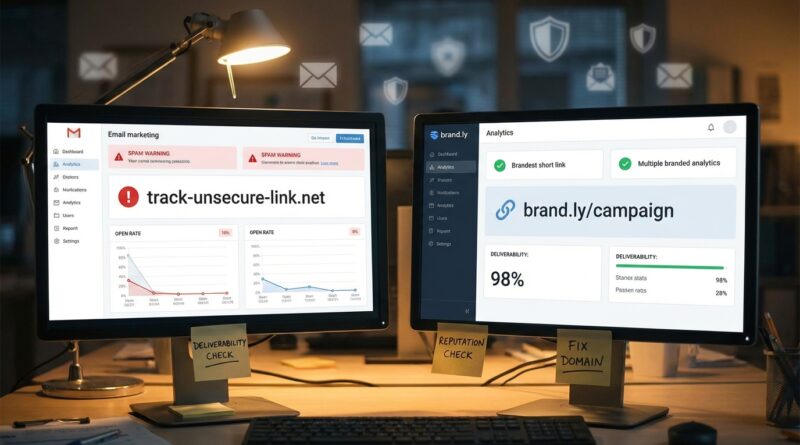
Stop Letting Your Short Links Kill Email Deliverability: How To Build ‘Inbox‑Safe’ Tracking URLs Before Your Next Campaign
You do everything right. You write a solid subject line, clean up the copy, warm up the sending domain, and test the campaign. Then you drop in a tracking link from some random shortener and suddenly the message lands in Promotions, spam, or nowhere useful at all. That is maddening, especially when all you wanted was click data. The annoying truth is that many mail filters do not just judge your sender domain. They also look hard at the links inside the message, the redirect chain behind them, and whether the short domain has been abused by spammers before. If you are trying to find an email safe url shortener for tracking clicks, the answer is not “stop tracking.” It is to use a safer setup. That usually means branded redirect domains, fewer hops, clear destination matching, and regular checks to make sure your link domain has not picked up a bad reputation from somebody else’s mess.
⚡ In a Hurry? Key Takeaways
- Generic shorteners can hurt deliverability in email, so the safest move is usually a branded tracking domain you control.
- Keep redirects simple, align link branding with your sending domain, and test every campaign with the exact links before a full send.
- You can keep per-link analytics without gambling your sender reputation, but only if your tracking setup is treated like part of email security.
Why short links can wreck a good campaign
Email providers are suspicious for a reason. Phishing emails often hide bad destinations behind short URLs, redirect chains, and throwaway domains. So when your campaign includes a link from a public shortener, you are asking the filter to trust a domain that thousands of strangers may also be using.
That is where things go sideways.
If that shared short domain has been used in scams, malware drops, fake logins, or spam blasts, your perfectly normal newsletter can get judged by association. It is a bit like showing up to airport security in someone else’s jacket. You may be fine, but you still get extra attention.
What “inbox-safe” really means
An inbox-safe tracking URL is not magic. It is just a tracking setup that creates as little suspicion as possible while still giving you usable analytics.
The basics of an inbox-safe setup
A safer setup usually includes:
- A branded short domain or tracking subdomain you own
- A clean redirect path with as few hops as possible
- Destination pages that match the promise of the email
- HTTPS on every step
- Consistent branding between sender, link domain, and landing page
- Regular checks for abuse, blocklists, and weird redirects
Notice what is missing. “Use the cheapest link tool you can find.” That is often the trap.
The biggest mistake marketers make
They think tracking links are a reporting problem. They are not. They are a trust problem.
Mailbox providers look at signals. Your sending domain is one signal. Your authentication is another. Your links are another. If your links look borrowed, suspicious, over-shortened, or disconnected from your brand, filters may decide the whole message deserves caution.
That is why an email safe url shortener for tracking clicks is usually not a generic public shortener at all. It is a custom domain setup tied to your brand.
How to build safer tracking URLs before your next send
1. Use your own branded link domain
If your company sends from news.yourbrand.com, your tracking links should feel related, like go.yourbrand.com or links.yourbrand.com. This helps with trust. It also avoids sharing reputation with a giant pool of unknown users on a public shortener.
A branded domain does not guarantee inbox placement. But it removes one of the most common self-inflicted deliverability problems.
2. Keep the redirect chain short
One redirect is normal. Three or four starts to look messy. Every extra hop creates another point of failure and another chance for filters to get nervous.
Good flow: branded short link to final landing page.
Bad flow: public shortener to click tracker to affiliate redirect to geo router to landing page.
If you need advanced routing, be careful. Ask whether each redirect is truly necessary.
3. Match the link destination to the email copy
If your email says “See pricing,” the click should go to pricing. Not a generic homepage. Not a pop-up heavy page. Not a page that instantly bounces visitors somewhere else.
Filters and users both hate bait-and-switch behavior.
4. Use HTTPS everywhere
This sounds basic, but it still matters. Your branded tracking domain should have a valid SSL certificate. Your final page should also be secure. Mixed signals here do not help trust.
5. Avoid sketchy query strings
You do need tracking parameters. But do not turn your URL into a junk drawer. Huge, messy strings full of strange tokens can look suspicious, especially if they hide the final destination.
Keep parameters readable when possible. Use standard UTM tags. Strip what you do not need.
6. Test the exact email, not just the copy
A lot of teams test subject lines and body text but forget the links are what trigger filtering changes. Always test the exact campaign with the exact tracking URLs in place.
Send to seed accounts across Gmail, Outlook, Apple Mail, Yahoo, and any business inboxes you care about. Check placement. Click every link. Make sure the redirect works cleanly on desktop and mobile.
7. Monitor your link domain reputation
Your branded domain can still develop problems if it gets abused, misconfigured, or reused carelessly. That is why link hygiene matters.
This is also a good time to run a security check on every short URL you use. If you want a simple process, read Stop Letting Phishing Ruin Your Links: How To Run A ‘Scam Fire‑Drill’ On Every Short URL You Share. It is a smart companion habit for anyone sending tracked links at scale.
What to look for in an email-safe URL shortener
If you are picking a tool, do not just compare click reports. Compare risk.
Look for these features
- Custom branded domains
- SSL support and easy certificate management
- Low-hop redirects
- Reliable uptime
- Abuse monitoring and link scanning
- Clear reporting without bloated URL structures
- Support for UTMs and campaign tagging
- Easy domain verification and DNS setup
Be cautious if a tool relies on
- Shared public short domains by default
- Multiple hidden redirect layers
- No abuse controls
- Messy destination masking
- Little visibility into where the reputation risk sits
Cheap tracking can get expensive fast
This is the part many teams learn the hard way. Saving a few dollars on a link tool is not really saving money if it cuts inbox placement by even a small amount.
If your open rate drops, your clicks drop, and your sender reputation gets bruised, the “cheap” option can cost you leads, renewals, and future campaign performance. Deliverability damage tends to linger longer than the invoice for the bad tool.
A simple playbook you can use this week
- Set up a branded tracking domain, ideally a subdomain tied to your main brand.
- Move away from generic public shorteners for email campaigns.
- Audit your current redirect chain and remove unnecessary hops.
- Standardize clean UTM tags and stop using bloated parameter strings.
- Test campaigns with final links included before full deployment.
- Check inbox placement across major providers.
- Review link security and abuse exposure regularly.
This is not a huge rebuild. For most teams, it is a few smart fixes that pay off quickly.
At a Glance: Comparison
| Feature/Aspect | Details | Verdict |
|---|---|---|
| Generic public shortener | Fast to set up, but shared reputation means your email may be judged alongside bad actors using the same domain. | Risky for serious email campaigns |
| Branded tracking domain | Uses your own subdomain, supports trust and consistency, and avoids most shared-domain reputation issues. | Best choice for deliverability and analytics balance |
| Redirect complexity | One clean redirect is usually fine. Multiple hidden hops add suspicion, latency, and more failure points. | Keep it simple |
Conclusion
You do not have to choose between deliverability and click tracking. That is the good news. Right now, a lot of marketers are quietly finding out that generic shorteners and bargain link tools are getting their domains flagged in bulk mail filters, especially in SaaS and newsletter campaigns. The fix is not to stop measuring. The fix is to build an inbox-safe tracking setup that looks trustworthy from the first click to the final page. Use a branded domain. Keep redirects clean. Test before you blast. If you do that, you can protect deliverability, keep granular click data, and stop waking up to campaigns that died in spam because of one bad redirect domain.