Stop Losing Click Data: How To Shorten URLs Without Breaking Your UTM Tracking
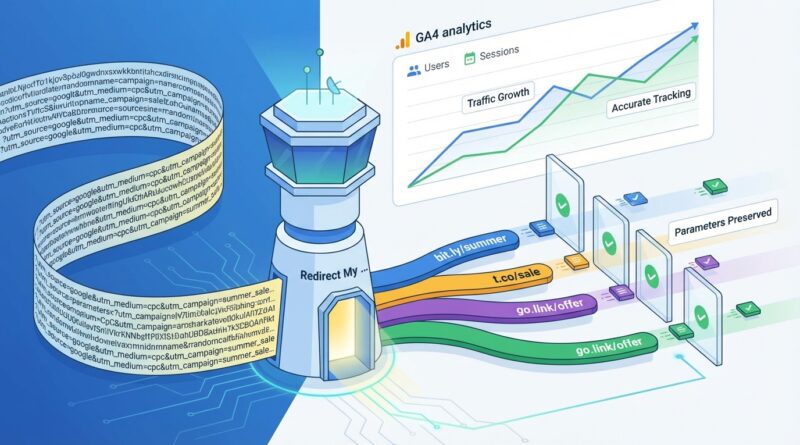
You did the work. You tagged the campaign links. You launched the ads. Then GA4 shows clicks, but barely any sessions, or the source and medium come through as direct. That is maddening, and it is happening to a lot of marketers right now. The usual culprit is not GA4 being random. It is a short link, redirect, or landing page setup that strips, rewrites, or ignores your tracking parameters along the way. If you rely on clean-looking short URLs but do not test what happens after every hop, your reports can quietly fall apart. The good news is this is usually fixable without buying another tool or rebuilding your whole stack. If your goal is to preserve UTM parameters with URL shorteners, the trick is simple in theory. Every redirect must pass the full query string, and your landing page must not wipe it out before analytics can read it.
⚡ In a Hurry? Key Takeaways
- To preserve UTM parameters with URL shorteners, your short link and every redirect after it must forward the full query string exactly as-is.
- Test every campaign link from click to landing page, then check the final URL, GA4 real-time data, and any extra redirects caused by consent banners, link wrappers, or plugins.
- Clean-looking links are not enough. A single bad 301, meta refresh, JavaScript redirect, or auto-tagging conflict can wreck attribution and waste ad spend.
Why this keeps happening
Short links are supposed to make long, ugly campaign URLs easier to share. That part works. The problem starts when the shortener sends people through one or more redirects before they reach your page.
If any step in that chain drops the stuff after the question mark, your UTM tags disappear. GA4 never sees utm_source, utm_medium, or utm_campaign. Then the visit gets credited as direct, unassigned, or something else that makes your report look wrong.
It is not always the shortener’s fault, either. The break can happen in several places:
- The URL shortener itself
- A redirect rule on your site
- HTTP to HTTPS redirects
- www to non-www redirects
- A consent or geo-routing tool
- An ad platform adding its own click IDs
- A landing page script that rewrites the address bar
What “preserve UTM parameters” actually means
Here is the plain-English version. If someone clicks this:
https://short.ly/spring-sale
and that short link points to:
https://example.com/landing-page?utm_source=newsletter&utm_medium=email&utm_campaign=spring_sale
then the visitor must land on a URL that still includes those UTM values, or at least pass them to analytics before anything strips them out.
If the person ends up at:
https://example.com/landing-page
with no parameters, your attribution is likely gone.
The biggest reasons short links break attribution
1. Redirects that do not forward the query string
This is the classic problem. A redirect sends people to the right page, but leaves off everything after the question mark.
For example, this works badly:
short.ly/deal → example.com/page
when the original target should have been:
example.com/page?utm_source=facebook&utm_medium=paid_social
Some redirect tools need a setting enabled to pass query parameters. Others do it automatically. Never assume.
2. Too many hops
One redirect is manageable. Four or five is asking for trouble. A visitor might go through the shortener, then a tracking wrapper, then an HTTPS redirect, then a page rule, then a cookie or region redirect. Any one of those hops can mangle the URL.
As a rule, fewer redirects mean fewer attribution problems.
3. JavaScript or meta refresh redirects
Server-side redirects are usually safer. Browser-based redirects can be messy, slower, and harder for tools to track cleanly. They can also behave differently across browsers and privacy settings.
4. Landing pages that rewrite the address bar
Some sites remove parameters for cosmetic reasons. That can be fine only if analytics has already captured them and your forms do not need them later. If the page wipes the URL too early, you lose both attribution and hidden-field form tracking.
5. Auto-tagging conflicts
Google Ads may add gclid. Meta may append its own click info. Email tools sometimes add tracking wrappers. If your setup is brittle, one platform’s extra parameters can interfere with another tracking method or trigger redirects that drop the UTM values.
The safest way to shorten links without breaking UTMs
Option 1: Put the full tagged URL inside the short link destination
This is the simplest and usually the safest approach.
Create your full destination URL first, complete with UTM parameters. Then use that entire URL as the target inside your shortener.
Example:
Destination URL: https://example.com/pricing?utm_source=linkedin&utm_medium=paid_social&utm_campaign=q2_demo_push
Short URL: https://go.example.com/demo
When someone clicks the short URL, it should redirect straight to the tagged destination. No extra magic. No parameter appending rules if you can avoid them.
Option 2: Use a shortener that supports dynamic parameter forwarding
Sometimes you want to append UTMs at the time of sharing or preserve extra parameters passed into the short link. In that case, make sure the shortener forwards the query string.
In plain terms, if someone clicks:
https://go.example.com/demo?utm_source=x&utm_medium=y
your shortener should send them to:
https://example.com/pricing?utm_source=x&utm_medium=y
That sounds obvious. Plenty of tools still get this wrong unless configured properly.
What to look for in a URL shortener
If you are picking or reviewing a shortener, check for these basics:
- 301 or 302 server-side redirects, not meta refresh
- Clear support for query string forwarding
- Custom domain support, like
go.yourbrand.com - Minimal redirect chain length
- No forced interstitial page unless you truly need one
- Good HTTPS support
- Easy testing and destination editing
If the shortener cannot clearly explain how it handles query parameters, that is a red flag.
A simple test anyone can do in two minutes
You do not need to be a developer to test this. Here is the practical check.
Step 1: Build a tagged destination URL
Use something obvious so you can spot it quickly:
https://example.com/test-page?utm_source=testsource&utm_medium=testmedium&utm_campaign=testcampaign
Step 2: Create the short link
Point your shortener at that exact URL.
Step 3: Click the short link in a private browser window
This avoids old cookies and cached behavior getting in the way.
Step 4: Watch the final URL
Do you end up on the right page with the UTM parameters still visible? Good. If not, something in the chain is dropping them.
Step 5: Check GA4 Realtime
Open Realtime reports and look for the session source and medium. If you clicked with utm_source=testsource and GA4 shows direct, you have a problem.
Step 6: Test on mobile too
Apps and in-app browsers can behave differently. Email clients and social apps are especially worth checking.
How to find the exact step where parameters get lost
If the test fails, do not panic. Work through the chain one hop at a time.
Check the redirect path
Use your browser’s developer tools, a redirect checker, or ask your web person to inspect the response headers. You want to see each redirect location in order.
Example:
go.example.com/demoexample.com/pricing?utm_source=testsource...www.example.com/pricing
If the second step had UTMs and the third lost them, you found the break.
Review server redirects
On Apache, Nginx, Cloudflare, WordPress redirect plugins, and many CMS tools, there is often a way to preserve or drop the query string. One checkbox or rule can change the outcome.
Temporarily remove “cleanup” scripts
If your site removes parameters from the URL after page load, disable that behavior and test again.
Check consent and localization tools
Geo redirects and consent managers sometimes reload the page or move visitors to a different URL version. Those tools should pass the full query string too.
Common platform gotchas
Email platforms
Many email services wrap links for click tracking before sending people to your short URL or landing page. That extra wrapper can add another redirect. Usually it is fine. Sometimes it is not.
Test the actual sent email, not just the draft URL you copied from your campaign builder.
Google Ads
If auto-tagging is on, Google may append gclid. That is normal. The problem starts if your redirects strip either the gclid or your UTMs, or if manual tagging and auto-tagging are set up inconsistently.
For many teams, using auto-tagging for Google Ads and UTMs for non-Google channels is the cleanest setup. Just make sure your redirects can handle both.
Meta and social apps
Facebook, Instagram, LinkedIn, and others may open links in in-app browsers. Those environments can add quirks, especially if your site does app deep-linking or mobile routing.
WordPress plugins
Redirect, SEO, security, and caching plugins can all touch URLs. If your site suddenly started losing attribution, look at recent plugin changes before blaming GA4.
Best practices if you want reliable attribution
- Use one clean redirect at most when possible.
- Put the full tagged URL in the shortener destination.
- Keep naming consistent across UTM parameters.
- Do not rely on memory. Use a simple UTM naming sheet.
- Test every new short link before launch.
- Retest after site migrations, plugin updates, or CDN changes.
- Store UTMs in hidden form fields if sales teams need lead source data later.
- Use custom branded short domains so people trust the link.
Your short-link QA checklist
Here is the checklist worth sharing with your team today.
- Does the short link point to the fully tagged destination URL?
- Does the shortener preserve the entire query string?
- Are redirects server-side and not browser-based?
- How many redirects happen from click to landing page?
- Does HTTP to HTTPS keep the parameters?
- Does www to non-www keep the parameters?
- Do consent, geo, or device redirects keep the parameters?
- Does the landing page leave the parameters alone long enough for analytics to read them?
- Do hidden form fields still capture UTMs?
- Does GA4 Realtime show the expected source and medium?
- Does the test work on desktop and mobile?
- Does the actual ad, email, or social post behave the same as your draft test?
If your numbers still do not match
Some mismatch is normal. Clicks and sessions are not the same thing. People click and bounce before the page fully loads. Browsers block some scripts. Users open links and close them. Privacy features get in the way.
But if the gap is big, especially after introducing a new shortener or redirect rule, that is not just normal noise. That is a setup issue worth fixing.
The good target is not perfect data. It is trustworthy data. You want attribution that is stable enough to guide spending and answer the awkward meeting question: “Which campaign actually worked?”
At a Glance: Comparison
| Feature/Aspect | Details | Verdict |
|---|---|---|
| Short link setup | Short URL redirects directly to a fully tagged destination URL with UTMs already included. | Best option for most teams. Simple and reliable. |
| Redirect chain length | One redirect is usually fine. Multiple hops increase the chance that query parameters get dropped or rewritten. | Keep it as short as possible. |
| Analytics reliability | Depends on UTMs surviving every redirect and the landing page not removing them before GA4 can read them. | Test before launch, then check GA4 Realtime. |
Conclusion
If your campaign reporting has started to feel slippery lately, you are not imagining it. Privacy changes, sloppy redirect chains, and ad platform auto-tagging are quietly wrecking attribution for a lot of teams. The fix is less glamorous than buying a shiny new dashboard, but it is far more useful. Shorten links carefully, make sure every redirect preserves the full query string, and test the real click path before spending money behind it. That one habit can save you wasted ad spend, bad reports, and those painful “why don’t the numbers match?” conversations with clients or bosses. Start with the QA checklist above and run it against every short link you use. Better tracking tomorrow often comes from cleaner basics today, not more complexity.