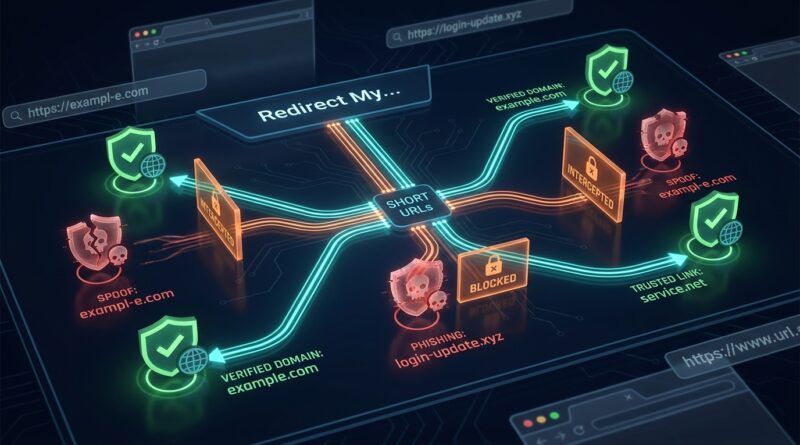
Stop Letting Your Short Links Get Spoofed: How To Build ‘Look‑Alike Proof’ URLs Before Scammers Steal Your Traffic
You spend time and money getting people to click your links, so it is maddening when a scammer can steal that trust with one sneaky typo. A fake short domain that looks almost right can send your customers to a phishing form, a fake event page or a cloned checkout before they even notice something is off. That is not just a branding problem. It can cost you sales, wreck your analytics and train your audience not to trust your messages at all. If you want to prevent spoofed links with URL shorteners, the fix is not complicated, but it does need to be deliberate. You need a short domain that is easy to read, hard to fake, tightly controlled and backed by simple security rules. Think of it like choosing a storefront sign. If people can misread it from across the street, someone else will copy it. The good news is you can make your links much harder to imitate starting today.
⚡ In a Hurry? Key Takeaways
- To prevent spoofed links with URL shorteners, use a custom short domain that avoids confusing characters and closely matched spellings.
- Lock down your domain with registrar security, HTTPS, DNS monitoring and a URL shortener that supports link rules and admin controls.
- Simple, readable links protect your audience, your conversion rates and your reporting from being quietly hijacked by scam campaigns.
Why spoofed short links are suddenly such a problem
Scammers love short links for the same reason marketers do. They are clean, memorable and easy to drop into texts, social posts, QR codes and ads.
The trouble starts when a fake domain looks close enough to the real one. Maybe your brand uses go-brand.co and the scammer buys gobrand.co or go-brand.click. At a glance, plenty of people will miss the difference.
That tiny difference can do real damage. Users may land on a fake login page, enter payment details into a cloned checkout or buy tickets from a site that was never yours. Meanwhile, you lose the sale and often get blamed for the bad experience.
What “look-alike proof” really means
You cannot make any domain perfectly immune to abuse. What you can do is make your links far less likely to be mistaken, copied or impersonated.
A look-alike resistant URL has three jobs:
- It is easy for normal people to read and say out loud.
- It avoids characters and words that are easy to confuse.
- It is protected with basic security controls so nobody can quietly hijack it.
That mix matters more than fancy branding. A shorter link is not better if it is easier to spoof.
Start with the domain itself
Pick a short domain that is clear, not clever
This is where many brands get tripped up. They go for a domain that looks stylish but creates confusion in real life.
Avoid domains with:
- The number 1, lowercase l and uppercase I together
- The number 0 and the letter O
- Double letters that disappear at a glance
- Hyphens if people are likely to forget them
- Odd spellings that need explanation
If somebody hears your link in a podcast ad or sees it in a moving video, they should know how to type it the first time.
Choose a TLD people already recognize
A custom short domain on .com, .co or another familiar ending is often safer than using an obscure extension just because it is available.
Scammers count on hesitation. If your real short link already looks unusual, a fake version does not have to work very hard.
Buy the obvious typo versions
This is one of the cheapest protective moves you can make. Register the most likely misspellings and redirect them to your main destination or to a warning page you control.
Think like a rushed customer on a phone keyboard. What would they type wrong in two seconds?
Use a URL shortener with grown-up controls
Not all shorteners are equal. If you are serious about preventing spoofed links with URL shorteners, you want more than click counts.
Look for these features
- Custom branded domains
- Mandatory HTTPS on every short link
- Role-based access for team members
- Audit logs showing who created or changed links
- Link expiration and destination editing controls
- Bot filtering and suspicious traffic alerts
- API support if you manage links at scale
If your shortener lets anyone on the team create public-facing links without oversight, that is a problem. Accidents happen. So do account takeovers.
Lock down the domain before attackers test it
Turn on registrar protection
Your domain registrar should have two-factor authentication, domain lock and account alerts enabled. If those are optional in your setup, switch them on now.
A stolen domain is worse than a spoofed one, because the attacker gets the real thing.
Use DNS with monitoring
DNS changes should not happen silently. Set alerts for any edits to your DNS records, nameservers or certificate status. If your provider offers change history, use it.
This does not stop every attack, but it cuts the time between “something changed” and “we noticed.” That window matters.
Always use HTTPS
This sounds basic, but plenty of brands still leave edge cases exposed. Your short links should always resolve over HTTPS, and plain HTTP should redirect cleanly to the secure version.
If a user clicks a branded short link and gets browser warnings, trust disappears fast.
Build links that people can sanity-check
A good short link does not just look official. It gives users clues that they are in the right place.
Use readable slugs
Compare these:
- go.example.com/x7Q2mP
- go.example.com/tickets
The second one is easier to trust, easier to remember and easier to verify in a hurry. Human-readable slugs are not just nicer. They reduce confusion.
Match the slug to the campaign
If the ad says “Download the 2026 pricing guide,” the short link should not end in a random code. Make it something obvious like /pricing-guide.
Consistency helps users catch fakes. If scammers use a messy slug, more people will hesitate.
Avoid endless redirects
A short link that bounces through multiple domains can feel suspicious even when it is legitimate. Keep the redirect path simple and predictable.
Train your audience without making them paranoid
You do not need to turn every email into a security lecture. A few small habits go a long way.
- Use the same branded short domain every time
- Mention it in your campaigns, so people learn what to expect
- Warn customers that you will not switch to look-alike domains
- Pin your official link domain in social bios and event pages
The goal is familiarity. If your audience knows your official short domain, fake copies stand out faster.
Watch for copycats before customers report them
This is the part many teams skip. They buy a good domain, set up a shortener and move on.
Bad idea.
Monitor for newly registered domains that resemble your short brand. There are services that flag typo domains, homoglyph attacks and suspicious SSL certificates tied to names similar to yours. Even a simple periodic search can help if your budget is small.
You should also watch referral traffic and campaign analytics for weird patterns. A sudden dip in conversions paired with normal click volume can be a clue that users are landing somewhere else first, or getting spooked by a fake copy.
A simple setup most small teams can use
If you are a founder, marketer or event team without a full security department, keep it practical.
- Choose one short branded domain with an easy spelling.
- Register the top typo variants.
- Use a reputable shortener with HTTPS and admin controls.
- Lock the registrar account with two-factor authentication.
- Create readable slugs for important campaigns.
- Standardize on that one domain across email, ads, SMS and social posts.
- Set alerts for domain, DNS and certificate changes.
- Check for look-alike registrations every month, or more often during big launches.
That is not overkill. It is basic hygiene for brand trust.
What to do if a spoofed version already exists
Move quickly, but do not panic.
First, confirm the fake
Visit carefully, preferably through a safe process your IT or security team uses. Do not log in, buy anything or enter data.
Then report it
Contact the registrar, hosting provider and certificate authority if a fake SSL certificate is in use. If it is a phishing page, report it to browser safe-browsing systems and email providers too.
Tell your audience clearly
Use your official channels to say exactly which domain is real. Keep the message plain. “Our only official short link domain is go.example.com. Do not trust similar variations.”
Review your weak spots
If customers were fooled, ask why. Was the fake domain too close to your real one? Were your own links inconsistent? Did your campaign creative make it hard to verify the URL?
At a Glance: Comparison
| Feature/Aspect | Details | Verdict |
|---|---|---|
| Short domain choice | Clear spelling, familiar TLD, no confusing characters, easy to say and type | Most important first step |
| Security controls | Registrar lock, two-factor authentication, HTTPS, DNS alerts, admin permissions | Essential, not optional |
| User trust signals | Readable slugs, consistent branded links, public guidance on your official domain | Greatly lowers confusion and spoofing success |
Conclusion
Phishing warnings keep rolling in, and most of these scams still depend on one simple thing. People trusting a link at a glance. That is why branded short URLs need more care than they used to. If you take time to choose a readable domain, register the obvious typo versions, lock down the registrar and use a shortener with real controls, you make life much harder for copycats. Better still, you protect the people who already trust your brand. For marketers and founders, that means safer clicks, cleaner analytics and less revenue slipping away to fake pages that should never have looked convincing in the first place.