Stop Letting Your Short Links Lie To You: How To Filter Bots And Fake Clicks Before They Wreck Your Decisions
You are not imagining it. Your short link dashboard says a campaign got 4,000 clicks, GA4 shows a few hundred visits, and sales barely moved. That is enough to make any campaign review feel like an argument instead of a decision. The annoying part is that many URL shorteners count almost everything as a click. Bots count. Email security scanners count. Social apps that preload links count. Even link preview tools can fire requests before a real person ever sees your page. If you are comparing url shortener bot traffic vs real clicks, you are really comparing raw touches against human visits. Those are not the same thing. The fix is not to throw out your shortener. The fix is to filter at the redirect level, tag traffic properly, and separate suspicious hits from likely humans before those numbers land in your reports.
⚡ In a Hurry? Key Takeaways
- Most shorteners report raw link hits, not guaranteed human clicks, so big gaps with GA4 are common.
- Start by filtering known bots, preview fetches, and duplicate rapid-fire requests at the redirect before sending traffic onward.
- Cleaner click data helps you protect budget, trust good channels, and stop making decisions based on fake activity.
Why your short link numbers keep lying
“Lying” is a bit unfair, but only a bit.
Most URL shorteners are built to count requests. If something asks for that short URL, the platform often logs it as a click. The problem is that the internet is full of things that ask for links without being a person.
Common examples include:
- Email security tools that check links before the recipient opens the message
- Messaging apps that generate previews
- Social apps that preload destinations in the background
- Spam filters and anti-phishing scanners
- SEO crawlers and AI bots
- Monitoring systems and uptime tools
So when someone searches for “url shortener bot traffic vs real clicks,” what they usually want to know is simple. Why do my click counts look great while my actual website activity looks weak?
The answer is that one metric is often counting every knock on the door. The other is trying to count people who actually walked in.
The easy test: compare three numbers, not one
If you want to spot fake click inflation quickly, compare these three figures for the same campaign and date range:
- Shortener clicks
- Landing page sessions in GA4 or your analytics tool
- Meaningful actions, like signups, checkouts, or form starts
If your shortener says 10,000 clicks, GA4 shows 2,000 sessions, and conversions are flat, that is your clue. Not all of the 10,000 were human.
A small gap is normal. A massive gap usually means the short link is being touched by scanners or preload systems before humans ever arrive.
What “human-first filtering” actually means
This is where many teams get stuck. They think filtering means buying an expensive fraud tool or rebuilding their tracking stack. Usually, you can start with much simpler rules.
Human-first filtering means you treat the redirect as a checkpoint. Before a visitor gets sent to the final page, you inspect the request and decide how to classify it.
Look at user agents
Some bots identify themselves clearly. Security vendors, crawlers, and preview tools often leave fingerprints in the user-agent string. That is not perfect, but it is a good start.
Check request patterns
Bots tend to move fast and strangely. You may see:
- Multiple clicks from the same IP within seconds
- HEAD requests instead of normal browser behavior
- No JavaScript, no cookies, no scrolling, no engagement
- Hits from data center IP ranges instead of consumer networks
Separate preview requests from visits
A link preview is not a visit. Treat it differently in your logs and reports. If your shortener can tag or route these requests to a separate bucket, do it.
Wait for proof of life
A redirect click is just the first signal. A pageview with real browser behavior, a short dwell time above zero, or a second page load gives you much more confidence that a person was involved.
How to clean up live campaigns fast
You do not need to pause everything and start over. Here is a practical order of operations.
1. Add proper UTM tags everywhere
This sounds basic because it is basic. But it matters. If traffic is not tagged consistently, you cannot compare your shortener data with GA4 or ad platforms in a useful way.
Make sure source, medium, campaign, and creative naming are consistent. “newsletter” and “email-news” should not be two different things unless you truly mean them to be.
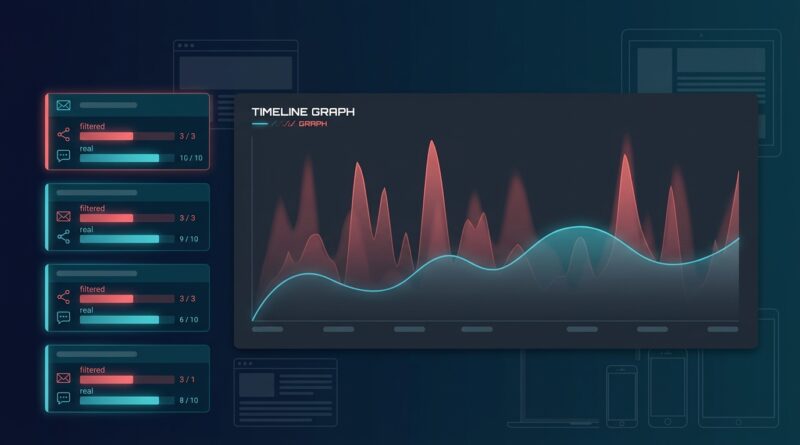
2. Split raw clicks from verified clicks
Keep both. Raw clicks are still useful for debugging delivery and scanner activity. But create a second metric for likely human clicks.
For example:
- Raw click = any request to the short URL
- Filtered click = request that passes bot and preview checks
- Verified visit = landing page session with expected browser behavior
Once you report those separately, the mystery starts to disappear.
3. Build channel-specific rules
Email traffic behaves differently from paid social traffic. Messaging apps behave differently from QR codes. One blanket rule for all channels often causes more confusion.
Email campaigns, for example, are especially vulnerable to security scanners. If one channel has a much higher scanner rate, do not compare it directly to another channel without adjusting for that noise.
4. Route suspicious traffic differently
This is where redirect tools become more than just a neat way to shorten links. You can send likely humans to the intended landing page and isolate suspicious traffic for testing, logging, or a neutral destination.
If you want to go further with this idea, Stop Sending Every Click To The Same Page: How To Use Smart Link Routing To Rescue ‘Good’ Traffic From Bad Landing Pages explains how smart routing can save good visitors from poor outcomes and give you cleaner campaign results.
Red flags that usually mean bot noise is driving your reports
Here are the patterns I see most often when a shortener is overcounting non-human activity:
- Clicks spike instantly right after an email send, before people have time to open it
- One geography dominates, even though your audience lives somewhere else
- Click-through rate looks fantastic, but landing page engagement is terrible
- There are lots of one-second visits and almost no second-page views
- Ad platform numbers and shortener numbers never get remotely close
- Several requests hit the same link within a fraction of a second
Any one of these can happen for innocent reasons. But if you see several together, start filtering before you trust the campaign summary.
What to tell clients or stakeholders when numbers do not match
This part matters because messy reporting turns into political reporting very quickly.
Keep it plain:
“Our short link tool counts all link requests. Our site analytics focuses on actual visits and user behavior. The gap is mostly caused by bots, preview systems, and security scans. We are now separating raw hits from likely human clicks so budget decisions are based on real traffic.”
That explanation is honest, easy to follow, and much better than pretending every dashboard should match exactly.
A simple reporting model that works better
If you want fewer headaches, stop asking one metric to do everything.
Use a reporting stack like this:
- Delivery metric: raw short link hits
- Traffic quality metric: filtered or likely human clicks
- Site engagement metric: sessions, engaged sessions, pages per session
- Business metric: leads, purchases, booked calls, revenue
This lets each tool do the job it is actually good at. Your shortener shows demand and routing activity. Your analytics tool shows visits and behavior. Your CRM or store shows outcomes.
Why this problem is getting worse, not better
Five years ago, some teams could get away with rough click counts. That is getting harder.
There are more security checks now. More privacy protections. More auto-fetching. More AI crawlers. More systems that inspect links before a person interacts with them.
That means old assumptions break faster. If your process still treats every short-link request as a real click, your reports will drift further from reality over time.
The good news is that the redirect layer gives you a place to fix this without rebuilding your whole website.
At a Glance: Comparison
| Feature/Aspect | Details | Verdict |
|---|---|---|
| Raw shortener clicks | Counts nearly every request, including bots, scanners, previews, and real users | Useful for delivery checks, poor for judging campaign success alone |
| Filtered human-first clicks | Removes known bot patterns, suspicious repeats, and preview fetches at the redirect level | Best middle ground for cleaner traffic reporting |
| GA4 sessions and conversions | Shows on-site visits and business outcomes, but may still miss some users due to blockers or consent settings | Best source for actual performance, especially when paired with filtered clicks |
Conclusion
The big lesson is simple. Most shorteners are not broken. They are just counting something different from what you thought they were counting. Right now, marketers are waking up to a tough reality: most URL shorteners happily count everything that touches a link as a “click”, including bots, link preview fetches, email spam filters and preloaded requests from social apps, which is why people keep seeing huge gaps between shortener stats and tools like GA4 or ad platforms. That noise is getting worse as security scanners and AI crawlers multiply, so if you do not put a human first filtering strategy in place you will keep overvaluing bad channels, underinvesting in the ones that quietly perform and arguing with clients or stakeholders over whose numbers to trust. The upside is that this is fixable. Tag your traffic properly. Filter at the redirect. Separate raw hits from likely humans. Verify with on-site behavior. Do that, and your reports stop feeling like guesswork and start matching what is actually happening.