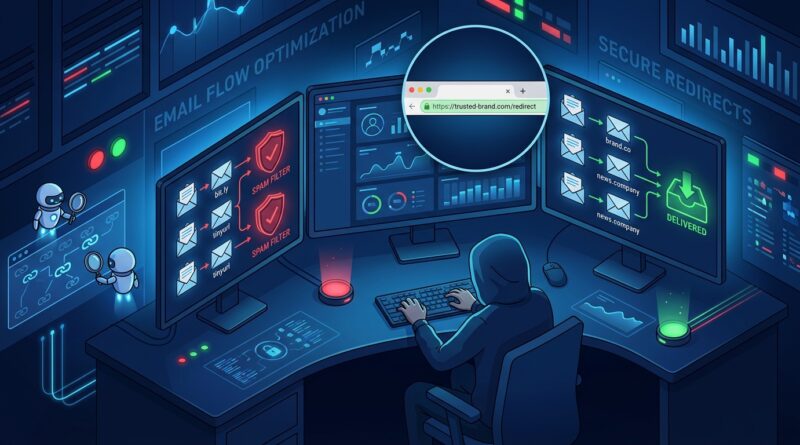
Stop Letting Your Short Links Kill Email Deliverability: How To Build ‘Inbox‑Safe’ Tracking URLs In 2026
You are not imagining it. Sometimes a campaign underperforms not because the offer is weak or the subject line missed, but because the links inside the email look risky to spam filters. That is maddening, especially when you spent hours getting everything else right. A plain public short link might seem harmless, yet in 2026 it can quietly hurt inbox placement, reduce clicks, and make a legitimate message look like phishing bait.
The reason is simple. Security systems now treat generic shorteners and multi-step redirects with a lot more suspicion after a long run of scams abused them. If your button points to a shared shortening domain, some providers will score the message more harshly before a human ever sees it. The fix is not to stop tracking. It is to build tracking URLs that look trustworthy, use your own domain, and keep redirect chains clean. Once you do that, you can still measure clicks, channels, and campaigns without giving filters another reason to send your hard work to spam.
⚡ In a Hurry? Key Takeaways
- Public shorteners are now a real deliverability risk. Your own branded tracking domain is the safer default.
- Keep redirects to one clean hop, match domains to your brand, and add tracking in a transparent way.
- Better links protect sender reputation, improve inbox placement, and still give you reliable click data.
Why short links are suddenly causing bigger problems
Email and SMS providers have had enough of phishing campaigns hiding behind shared short links. That has changed the rules for everyone.
For years, marketers used public shorteners because they were quick, tidy, and easy to paste into campaigns. The trouble is that scammers liked them for the exact same reasons. When bad actors burn a shortening domain often enough, security tools stop looking at each individual link and start distrusting the whole domain.
That means your innocent campaign can get caught in the same net.
The risk is even higher if your link setup creates multiple redirects. For example, an email link goes to a shortener, then to a click tracker, then to a landing page with more parameters added on the way. Every extra hop gives filters more to question.
If this sounds familiar, you may also want to read Your Links Might Be Killing Your Emails: How To Use Short URLs Without Triggering Spam Filters After Google’s March 2026 Update, which explains why even “normal” short links are being treated more harshly now.
What “inbox-safe” tracking URLs look like in 2026
Safe does not mean ugly. It means predictable, branded, and easy for filters to trust.
1. Use a branded tracking domain
Instead of sending readers to a public shortener, send them through a domain or subdomain you control, such as go.yourbrand.com or link.yourbrand.com.
This matters because filters compare the visible sender, the domains in the message, and the landing experience. When those pieces feel connected, your email looks more legitimate.
A branded tracking domain also builds trust with readers. They are far more likely to click a link that clearly belongs to your company than a random shortened URL they have never seen before.
2. Keep the redirect chain short
One redirect is fine. Three or four starts to look messy.
Your best setup is usually this: email link, branded tracking domain, final landing page. That is it.
If your current stack runs through an ESP tracker, then a third-party shortener, then an analytics router, simplify it. Most email deliverability best practices for URL shorteners 2026 come down to one boring truth. Fewer moving parts usually win.
3. Match the link domain to the brand people see
If the email says it is from Oak Street Fitness, but the main button goes through a domain that has nothing to do with Oak Street Fitness, filters and humans both get nervous.
Try to keep your sending domain, tracking domain, and landing page domain in the same brand family. They do not have to be identical, but they should make sense together.
4. Use readable paths when possible
A link like go.yourbrand.com/spring-sale looks a lot healthier than a string of random characters.
You can still include click IDs or campaign parameters behind the scenes. Just avoid making the visible part of the URL look cryptic unless you have no other option.
The modern playbook for tracking without hurting deliverability
Start with your domain setup
Before you worry about link structure, make sure the domain doing the redirect is properly configured.
- Use HTTPS.
- Use a branded subdomain dedicated to tracking.
- Make sure DNS records are clean and current.
- Keep the domain warm and active, not brand new and barely used.
A brand new redirect domain with no reputation is not ideal right before a major campaign. If possible, set it up early and use it consistently.
Choose first-party tracking over public shorteners
If your email service provider offers custom link branding, turn it on. If you use a link management platform, connect your own domain instead of relying on the platform’s shared one.
This single change solves a big chunk of the problem.
Trim unnecessary parameters
Tracking tags are useful. A novel-length URL is not.
Keep only the parameters you truly need for attribution and reporting. Too many appended fields can make links look chaotic and may break in some apps or security wrappers.
A good rule is simple. If a parameter does not affect reporting decisions, remove it.
Preview the full click journey
Do not just test whether the link “works.” Check what happens from click to landing page.
- How many redirects happen?
- Does the final page load fast?
- Does the browser show secure HTTPS throughout?
- Does anything in the chain look off-brand?
If the click path feels confusing to you, machines may be even less forgiving.
Watch for URL reputation problems
This is the part many teams miss. A link can be technically correct and still have a reputation issue.
Monitor whether your tracking domain or landing domains appear on security blocklists, get flagged by browser warnings, or trigger protection tools inside corporate email systems. One bad campaign, one compromised page, or one inherited domain issue can drag down future sends.
Common mistakes that quietly wreck placement
Using bit.ly-style links in bulk campaigns
This is the big one. Public shortening domains are convenient, but they come with shared reputation. You are borrowing trust from a neighborhood you do not control.
If other people abuse that neighborhood, your mail suffers too.
Hiding the final destination too aggressively
Marketers want neat links. Filters want clarity. There is a balance.
If your redirects make it hard to tell where the user will end up, security systems may assume the worst. This is especially true for financial, health, and high-value retail campaigns where phishing is common.
Mixing too many third-party tools
One platform adds click tracking. Another swaps in dynamic parameters. A third handles affiliate attribution. A fourth does retargeting. Suddenly one button click takes a tour of the internet before the page loads.
That is bad for users and risky for deliverability.
Ignoring SMS rules because “it’s just text”
SMS providers are also tightening up. Suspicious short links in texts can get filtered, blocked, or flagged by mobile security tools. The same advice applies. Use branded domains, keep hops minimal, and make the path easy to trust.
How to build an inbox-safe URL step by step
- Register or choose a branded subdomain for tracking, such as go.yourbrand.com.
- Connect it to your email or link tracking platform.
- Turn on HTTPS and confirm the SSL certificate is valid.
- Create short, readable slugs where possible.
- Add only essential UTM or click parameters.
- Make sure the link resolves in one clean hop to the landing page.
- Test the link in real inboxes, mobile apps, and corporate email environments if possible.
- Monitor inbox placement and click rates after the change.
That is the heart of email deliverability best practices for URL shorteners 2026. Nothing fancy. Just a setup that looks legitimate because it is legitimate.
What to tell your team if they push back
You may hear, “But public shorteners are easier,” or “We need the extra redirect for analytics.”
Fair points. But easier is expensive if it lowers deliverability.
If clicks drop because the email lands in spam, your tracking is perfectly accurate about a campaign that never really got a chance. Protecting inbox placement comes first. After that, you can fine-tune attribution.
The healthiest mindset is this. Tracking exists to support performance, not sabotage it.
At a Glance: Comparison
| Feature/Aspect | Details | Verdict |
|---|---|---|
| Public shortener | Fast to create, but shared reputation and higher risk of being flagged by filters or security tools. | Avoid for serious email and SMS campaigns. |
| Branded tracking domain | Uses your own domain or subdomain, builds trust, and gives you more control over reputation. | Best choice for deliverability and reporting. |
| Multi-hop redirect chain | Adds complexity, slows page loads, and can make legitimate campaigns look suspicious. | Cut it down to one clean redirect if you can. |
Conclusion
You do not need to give up tracking to stay out of spam. You just need links that look and behave like part of your brand instead of borrowed shortcuts from the public internet. Email and SMS providers are quietly tightening rules after a spike in phishing that abuses public shorteners and multi-hop redirects, and security vendors are starting to block entire shortening domains by default. Marketers who keep dropping raw bit.ly-style links into campaigns will see more messages flagged as suspicious, even when they are legitimate. The good news is that the fix is practical. Use a branded domain, keep redirects clean, trim the clutter, and test the full click path. Do that, and you protect revenue, keep your sender reputation cleaner, and still get the detailed click and channel data you need to improve the next campaign.