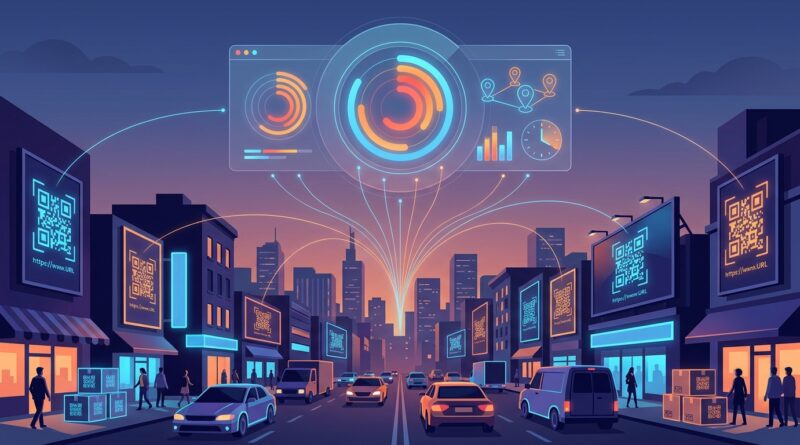
Stop Letting Your Short Links Waste Real‑World Traffic: How To Turn Every QR Code Into A Measurable Campaign
You print the poster, order the booth banner, stick the QR code on the box, and then wait for the data. What do you get? Usually a messy little spike in direct traffic and a vague feeling that something worked. That is frustrating, especially when you know people are scanning, clicking, and buying because of those real-world placements. The problem is not the QR code itself. The problem is that most teams treat it like a plain doorway instead of a trackable campaign asset. If you want better qr code campaign tracking with url shorteners, you do not need a giant marketing stack or a six-month analytics project. You need a simple system. One naming convention. One redirect layer. A few clear reports. Once those pieces are in place, your flyers, packaging, in-store displays, event signage, and printed mailers stop being guesswork and start acting more like paid ads you can actually measure and improve.
⚡ In a Hurry? Key Takeaways
- QR code campaign tracking works best when every code points to a short link that adds campaign tags before sending people to the final page.
- Start with a strict naming system for source, placement, location, and date so your reports stay clean and useful.
- Use dynamic short links when possible, so you can update destinations later without reprinting everything.
Why QR codes so often disappear into “direct traffic”
This is the part that annoys a lot of marketers. Someone scans a code from a poster in a train station. Another person types in a short URL from your packaging. A third scans your event handout and signs up that afternoon. Yet in analytics, much of that activity gets lumped into direct, unassigned, or some half-helpful referral bucket.
That happens because the link behind the QR code was never built for measurement. It was built to get someone from point A to point B. Useful, yes. Measurable, not really.
If you want to know which poster, which booth, which city, or which box insert drove the sale, the link itself needs to carry that context. That is where url shorteners earn their keep.
The simple fix: make every QR code a tracked redirect
Here is the basic model.
Step 1: Create a short link
Instead of sending people straight to your final landing page, create a short link first. That short link becomes your control point.
Step 2: Add campaign tags at the redirect layer
When someone scans or types the short link, they get redirected to your real page with tracking parameters attached. Those might include source, medium, campaign, content, and term, depending on your setup.
Step 3: Generate the QR code from that short link
Now the QR code is not just an entry point. It is a labeled campaign asset.
That is the core of qr code campaign tracking with url shorteners. Keep the destination page clean for users. Put the measurement logic in the short link system.
One naming convention can save your whole reporting setup
If you skip this part, your dashboard will become a junk drawer.
You need a naming format that your whole team can follow without asking for permission every time. Keep it boring and consistent. Boring is good. Boring scales.
A practical template
Use fields like these:
- source: qr
- medium: offline
- campaign: spring-launch
- content: poster-a or booth-backdrop or box-insert
- term: chicago or store-12 or expo-hall-b
An example final tagged destination could look like this:
yourstore.com/offer?utm_source=qr&utm_medium=offline&utm_campaign=spring-launch&utm_content=poster-a&utm_term=chicago
The person scanning never needs to see that long URL. They just scan a clean short link or QR code.
What to standardize right away
- Use lowercase only
- Replace spaces with hyphens
- Pick one date format, if you use dates at all
- Use the same wording for locations every time
- Do not mix “event,” “expo,” and “trade-show” for the same thing
This sounds small. It is not. Clean names are what turn a pile of scans into useful campaign insight.
Static QR codes vs dynamic QR codes
You will hear a lot about dynamic codes, and for good reason.
Static codes
A static QR code points straight to one fixed destination. Once printed, that destination is locked. If the page changes, the campaign changes, or the tracking needs work, you are stuck.
Dynamic codes
A dynamic QR code points to a short redirect you control. You can change the final destination later, add better tags, pause the campaign, or split traffic by location without replacing the printed code.
For anything on packaging, signage, mailers, or event materials, dynamic usually wins. Reprinting is expensive. Flexibility matters.
The plug-and-play setup small teams can actually manage
You do not need five tools duct-taped together. You need a small system that covers creation, redirecting, and reporting.
What your setup should include
- A URL shortener that lets you create branded short links
- The ability to add or preserve UTM parameters during redirects
- Basic click and scan reporting
- Your analytics platform, such as GA4
- A simple dashboard in Looker Studio, Sheets, or your reporting tool of choice
The workflow
- Create the campaign name before anything gets printed.
- Create one short link per placement, not one per campaign.
- Attach the right tags for source, medium, placement, and location.
- Generate a unique QR code for each short link.
- Put each code into a tracking sheet with owner, print date, and destination.
- Watch clicks, sessions, conversions, and revenue by placement.
That is enough to tell whether the booth counter card beat the pull-up banner, or whether the QR code on the product sleeve outperformed the code on the insert.
What to track if you want more than vanity stats
A scan count is nice. Revenue is better.
Here are the numbers that matter most:
Top-of-funnel metrics
- Scans or short-link clicks
- Unique visitors
- Landing page sessions
- Bounce or engagement rate
Middle-of-funnel metrics
- Email signups
- Brochure downloads
- Form completions
- Coupon claims
Bottom-of-funnel metrics
- Purchases
- Booked demos
- Qualified leads
- Revenue per placement
If you stop at scans, you will end up rewarding curiosity. If you follow the journey through to conversion, you can reward what actually works.
Real-world examples that make this click
Posters in different neighborhoods
Let’s say you run the same creative in three areas of town. Each poster has its own short link and QR code. Same landing page. Different tagged redirect.
Now you can compare not just scans, but signups and sales by neighborhood. One spot may get fewer scans but much better conversion. That is the placement you keep.
Event booth assets
Your booth has a banner, a one-page handout, and a demo screen. Most teams use one URL for all three. Bad idea.
Create a separate short link for each placement. Then you will know whether people convert from the handout later at the hotel, or whether the on-screen QR drives immediate demo requests on the spot.
Product packaging
Put a tracked short link behind the QR code on your packaging, then use different codes for different product lines, retailers, or insert variants. Suddenly your “learn more” box code becomes a post-purchase campaign you can actually improve.
Build dashboards that answer real questions
You do not need a fancy dashboard with 40 widgets. You need one that helps you decide what to print again and what to stop printing.
Dashboard 1: Placement performance
- Placement name
- Scans or clicks
- Sessions
- Conversions
- Conversion rate
- Revenue
Dashboard 2: Location performance
- City or venue
- Total traffic
- Leads
- Sales
- Revenue per 100 scans
Dashboard 3: Time-based patterns
- Scans by day
- Scans by hour
- Event-day peaks
- Post-launch dropoff
These reports help you answer practical questions. Did booth traffic spike right after the keynote? Are airport posters better than mall posters? Is the package insert driving repeat purchases two weeks after delivery?
Common mistakes that quietly wreck QR tracking
Using one QR code everywhere
This is the big one. If the same code appears on your poster, flyer, booth wall, and packaging, you have no placement data. You just have a pile of scans.
Sending traffic directly to the website
If there is no short redirect layer, you lose flexibility. You also make it harder to fix mistakes after printing.
Messy campaign naming
“SpringSale,” “spring-sale,” and “spring_sale” are three different things in many reports. Small inconsistency. Big headache.
Tracking clicks but not conversions
A code with lots of scans can still be a weak performer if nobody buys or signs up.
Forgetting the offline context
Sometimes a person scans now and converts later on another device. Your reports will not always be perfect. That is normal. The goal is better attribution, not magic attribution.
How this fits with your paid traffic tracking
If you already track paid campaigns carefully, treat offline the same way. The method is almost identical. The difference is where the click starts.
If you want to tighten up that side too, Stop Letting Your Short Links Leak Money: How To Turn ‘Paid Traffic’ URLs Into Profit-Proof Tracking Pipes is a useful companion read. It covers the same basic discipline: clean redirects, clean names, better reporting, less wasted spend.
A starter blueprint you can put in place this week
If you want the quick version, do this:
- Pick one branded short domain.
- Create a campaign naming sheet your team must use.
- Make one short link per physical placement.
- Add UTMs at the redirect stage.
- Generate a unique QR code for each short link.
- Log every code in a shared sheet.
- Build one dashboard for scans, conversions, and revenue.
- Review results after each event, print run, or campaign burst.
That is it. Not glamorous. Very effective.
At a Glance: Comparison
| Feature/Aspect | Details | Verdict |
|---|---|---|
| Static QR code | Fixed destination, hard to update, weak for long-term print and packaging campaigns. | Fine for one-off use, but limited. |
| Dynamic QR with short link | Uses a redirect layer, supports better tagging, easier updates, stronger reporting by placement. | Best choice for most marketing teams. |
| Naming convention and dashboard | Keeps campaign data clean across posters, events, mailers, and packaging, then ties it to conversions and revenue. | Essential if you want useful insight, not just scan counts. |
Conclusion
Offline and hybrid campaigns are back in a big way, but too many teams still treat QR codes and short links like dumb entry points. They are not. Done properly, they are trackable campaign assets that can tell you what is working in the real world and what is wasting print, time, and budget. The good news is you do not need enterprise software to get there. One naming convention, one redirect layer, and a few sensible dashboards can connect posters, packaging, event signage, and other physical placements back to leads and revenue. Once you set up qr code campaign tracking with url shorteners the right way, you can start improving real-world campaigns with the same confidence you already bring to paid ads. And that means fewer guesses, better placements, and much clearer proof that your offline marketing is pulling its weight.