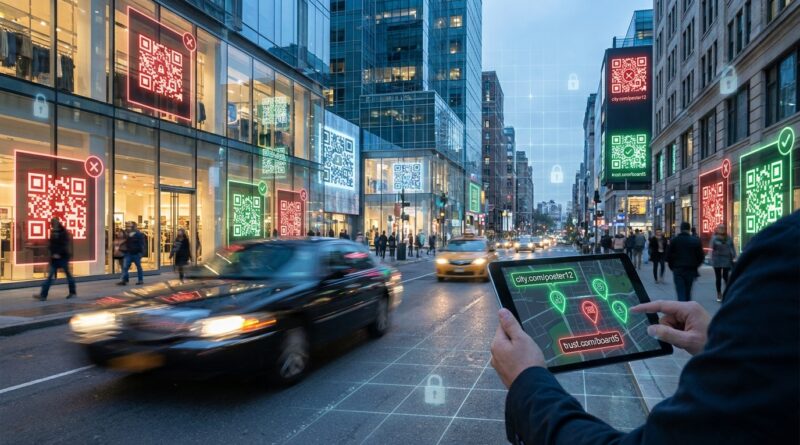
Stop Letting Your QR Codes Become Blind Spots: How To Track ‘Scan Journeys’ Without Handing Your Data To Attackers
QR codes are everywhere now, and that is part of the problem. A lot of teams print them on posters, packaging, menus, mailers, and event signs, then call it a day. Later they check a basic shortener dashboard and see one lonely number: clicks. That is frustrating. You still do not know which placement worked, which city scanned most, whether people bounced right away, or whether someone copied your code into a scam. Worse, customers are getting more cautious because fake QR codes, also called quishing, keep showing up in parking meters, restaurant tables, and public signs. If your real campaign uses the same anonymous short link style as the bad guys, you are asking people to trust something that already looks suspicious. The fix is not to stop using QR codes. It is to own the whole scan journey, from the printed code to the final page, with branded links, clear routing, and analytics you can actually audit.
⚡ In a Hurry? Key Takeaways
- Use branded QR short links you control, not generic third-party shorteners, if you want safer scans and real analytics.
- Track each QR placement separately so you can see which poster, package, table tent, or flyer actually drove results.
- Human-readable links and auditable redirect logs help reduce phishing risk, build trust, and support compliance.
Why QR codes have become a trust problem
People used to treat QR codes like harmless shortcuts. Scan, tap, done. That mood is changing fast.
Attackers have figured out that a printed square hides the destination. Most people cannot tell where a QR code goes until after they scan it. That makes it perfect for phishing, fake login pages, payment scams, and CAPTCHA traps that push users toward malware or fraud.
At the same time, many legitimate businesses still use random-looking short links from free tools. To a customer, your real code and a scammer’s fake code can look almost identical. That is bad for trust, and it is bad for response rates.
If you are serious about QR code link tracking best practices 2026, the first rule is simple. Make the destination feel trustworthy before the scan turns into a click.
What “scan journey” tracking actually means
Most teams are not really tracking QR performance. They are just counting redirects.
A proper scan journey is the full path a person takes after scanning. That includes:
- Which physical asset they scanned
- Where the scan happened
- What device and operating system they used
- When the scan happened
- Which destination they saw
- Whether they converted, bounced, or came back later
That matters because one QR code on a product box behaves very differently from one on a store window or conference badge. If all those scans feed into one generic short URL, your reporting gets muddy fast.
Think in placements, not just campaigns
This is the easiest mistake to fix.
Do not use one QR code for “spring promo” and paste it everywhere. Give each physical placement its own trackable link. One for the menu. One for the counter card. One for the direct mail piece. One for the subway ad. The landing page can stay the same if you want, but the route into it should be distinct.
That is how you learn what is actually paying off.
The safest setup is also the smartest one
There is a nice side effect here. Better tracking usually means better security.
When you use a branded short domain that belongs to your business, people can see your name in the link preview or browser bar. That alone can make a scan feel more legitimate. It also gives your team control over redirects, logs, and destination changes.
If you want to get more advanced with routing, this is where a smart short link setup helps. We covered that idea in Stop Letting Your Short Links Waste Clicks: How To Turn Every URL Into a Multi‑Destination ‘Smart Router’. The same logic works beautifully for QR campaigns, especially when different users should land on different pages based on device, location, or time.
What to avoid
Try not to rely on:
- Free QR generators with no ownership of the redirect path
- Generic shorteners that hide your brand
- One shared QR code for many placements
- QR destinations that cannot be audited later
- Redirect chains so long they slow the scan experience
Each of those creates a blind spot, a trust issue, or both.
QR code link tracking best practices 2026
If you want the short version, own the domain, label every placement, and keep the redirect path clean.
1. Use a branded short domain
This is the foundation. A short domain that matches your brand, or clearly relates to it, looks more trustworthy than a random public shortener. It also means you control the data and the destination.
2. Create one QR code per asset
If two posters are in different places, they should not share the same QR code. If a package insert and a window sticker have different goals, they should not share the same QR code either.
Name links clearly in your dashboard so anyone on your team can tell what they are. For example: nyc-store-window-may, trade-show-booth-card, box-insert-v2.
3. Track scans and post-click behavior separately
A scan is not a sale. Even a click is not a sale.
Use your QR routing analytics to understand scan volume and source patterns. Then use site analytics, campaign tags, and conversion tracking to see what happened after arrival. This split matters because a code may get lots of scans but send traffic that never converts.
4. Make the destination readable and expected
If the scan leads to a login page, payment form, or app install page with no explanation, people may bail out, and they should. Tell them what they are about to get near the code itself. “Scan to see menu.” “Scan to verify warranty.” “Scan for event schedule.”
Removing surprises helps real users and hurts scammers.
5. Keep logs you can audit
If a problem comes up later, you want to know when a destination changed, who changed it, what device types scanned, and whether one location suddenly showed unusual traffic. Those records help with security reviews, vendor checks, and compliance questions.
6. Watch for anomaly patterns
Good QR analytics are not only for marketing. They can act like an early warning system.
If one printed code suddenly gets scans from a country where it was never distributed, or if overnight traffic spikes from odd device signatures, investigate it. Someone may have copied your code, spoofed your short link, or started pushing the URL in a scam campaign.
7. Use HTTPS and limit redirect hops
People notice lag. Phones notice it too. A QR scan should feel instant. Keep the path short, secure, and predictable.
8. Review old QR campaigns before they become liabilities
Printed QR codes can live for years. That old brochure in a waiting room may still be driving traffic. If the destination is dead, outdated, or now points somewhere risky because a third-party service changed terms, you have a problem.
Audit your active QR codes on a schedule.
How to tell whether your current QR setup is too risky
Ask yourself a few plain questions.
- Do we know exactly which physical item each scan came from?
- Can we change the destination without reprinting the code?
- Does the link show our brand, or some random shortener?
- Can we prove who changed a redirect and when?
- Do we know which scans turned into useful actions?
- Would a cautious customer trust this code at a glance?
If you answered no to most of those, your QR program is probably running on hope.
What honest analytics look like
Good QR reporting should help you make spending decisions, not just create pretty charts.
For example, you should be able to learn that:
- The QR code on product packaging drove repeat visits, but the magazine ad did not
- Restaurant table tents got scans, but most happened after hours, suggesting staff scans rather than customer scans
- One retail location had strong scan volume but weak conversion, which may point to a landing page mismatch
- Android users converted better than iPhone users for a specific app offer, which may justify different routing
That is the real value. Not “we got 4,812 scans,” but “this placement paid for itself and this one did not.”
Privacy matters too
Tracking does not mean collecting everything you can.
Keep your data useful, but sensible. Use aggregate location data where possible. Be careful with personally identifiable information. Match your analytics setup to your privacy policy and local rules. If a QR campaign touches health, finance, children, or regulated customer data, get your legal and security teams involved early.
Owning your link stack helps here too, because you are less dependent on third parties that may collect more than you want or keep records longer than you expect.
At a Glance: Comparison
| Feature/Aspect | Details | Verdict |
|---|---|---|
| Generic QR shortener | Fast to set up, but weak branding, limited audit trail, and lower user trust during a phishing-heavy period. | Fine for testing. Poor for serious campaigns. |
| Branded QR short link | Shows your name, improves confidence, gives you ownership of redirects, and makes reporting cleaner. | Best choice for trust and control. |
| Per-placement tracking | Separates scans by poster, package, menu, sign, or region so you can compare performance honestly. | Essential if you want useful analytics. |
Conclusion
QR codes are not going away, but blind trust in them should. That is why this matters right now. QR-based phishing has spiked, image-based links are a growing attack path, and brands that keep hiding behind anonymous shorteners are accidentally teaching people to distrust every code they see. The good news is that the fix is practical. Shift to branded, human-readable, fully auditable QR short links that you control. Track each placement separately. Keep your redirect chain clean. Review old codes before they turn stale or risky. Do that, and you protect your audience, make regulators a lot less nervous, and finally get honest data on which posters, menus, packaging, and offline campaigns are worth paying for.