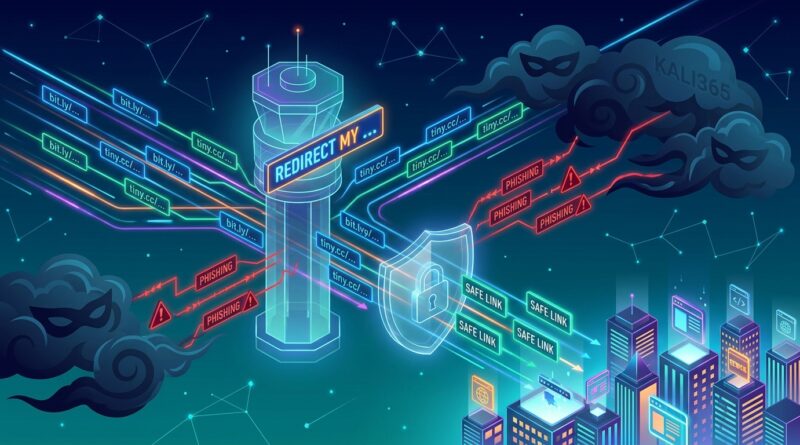
Stop Letting Your Short Links Get Weaponized: How To Build ‘Phishing‑Aware’ Redirects Before Kali365 Finds You
You did the sensible thing. You shortened your links to make emails cleaner, texts less ugly, and campaign tracking easier. Now the annoying part. Attackers are using the same visual patterns. The FBI recently warned that device-code phishing kits such as Kali365 are scaling fast, and they often hide behind redirect-heavy journeys, trusted brand names, and links that do not look obviously dangerous at first glance. That puts everyday marketing links in an awkward spot. They can start to look a lot like attack links to users, inbox filters, and security teams. If you send short URLs without guardrails, you may be teaching customers to trust the exact click flow criminals are copying. The good news is you do not need to stop using short links. You just need to make them phishing-aware. That means clearer branding, fewer hops, stronger destination controls, and small trust signals that help real people tell your links from a trap.
⚡ In a Hurry? Key Takeaways
- Phishing safe short links are short URLs built with branding, redirect controls, and clear destination signals so they do not mimic common phishing flows.
- Use one branded domain, limit redirect hops, allow only approved destinations, and add an interstitial preview page for higher-risk traffic.
- This protects your audience, helps deliverability, and reduces the chance your campaigns get flagged as suspicious by security tools.
Why short links suddenly feel riskier
For years, short links were mostly a convenience tool. Make a long URL tidy. Track clicks. Swap destinations when a campaign changes. Simple.
Now they sit in the blast radius of something bigger. Phishing kits are getting better at copying legitimate user journeys. Instead of sending a sloppy fake login page right away, attackers use redirect chains, trusted-looking domains, and login flows that feel familiar. Sometimes they even abuse real Microsoft pages as part of the trick.
That matters because your audience does not inspect links the way a security analyst does. They learn patterns. If your emails, SMS campaigns, and social posts teach people that “a vague short URL that bounces me through a few pages” is normal, attackers get a free assist.
What “phishing safe short links” actually means
A phishing safe short link is not a magic URL that criminals cannot copy. It is a short link system designed to reduce confusion, block abuse, and make legitimate campaigns easier to verify.
Think of it like better lighting and clearer signs in a parking lot. You cannot stop every bad actor from showing up, but you can make the safe route obvious and the shady route harder to use.
At a minimum, phishing-aware redirects should do four things
First, they should look like you. Use a branded short domain, not a random shared shortener.
Second, they should go only where you intend. No open redirects. No “append any destination here” logic.
Third, they should be simple. Fewer hops. Fewer surprises. Fewer chances for security tools to get nervous.
Fourth, they should give users context. If a click is sensitive, show where they are going before sending them there.
The biggest mistakes that make your links look like phishing
1. Using generic public shorteners for brand campaigns
If your link starts with a domain anyone can use, the recipient has no reason to trust it. Attackers love that ambiguity.
A branded short domain is better because it gives people one consistent pattern to learn. If they know your company always uses go.yourbrand.com, anything else stands out.
2. Allowing open redirects
This is the classic mistake. Your short link service lets someone attach or swap in any destination URL. That turns your domain into a launcher for scams.
If criminals can piggyback on your trusted domain, your reputation goes down fast. So does inbox placement.
3. Sending users through too many redirects
One redirect is common. Four or five starts to look messy. It also gives filters more places to find something they do not like.
Keep the path tight. Short link, then destination. Maybe one trust page in between if the campaign really needs it.
4. Hiding the destination too completely
Marketers often think less information means less friction. Sometimes it means less trust.
If the destination is a sign-in page, payment page, file download, or account page, be more transparent. Tell people where they are going. Better yet, show it before redirecting.
5. Training users to click without checking context
“Tap here now” with a mystery short link is exactly the behavior attackers want to normalize.
A better pattern is a short link paired with plain-language context. For example: “View your June invoice at billing.yourbrand.com” or “Register on our Microsoft event page.” The extra words matter.
How to build phishing-aware redirects before they become a problem
Use a branded short domain and keep it consistent
Pick one primary short domain. Use it everywhere. Email. SMS. Social. Print. Support messages.
Consistency helps people spot fakes. It also helps your internal team review links faster because there is one approved pattern, not six.
If you also use QR codes in offline campaigns, this same rule applies there too. Our guide on Stop Letting Your QR Codes Get Hijacked: How To Build ‘Quish‑Proof’ Short Links For Offline Campaigns covers how printed links and QR flows can be abused when destination controls are weak.
Lock destinations to an allowlist
This is the big one. Your redirect platform should send traffic only to approved domains and paths. Not any URL a user types in. Not anything buried in a query string.
Good allowlist examples:
yourbrand.com
shop.yourbrand.com
events.microsoft.com for a specific approved event campaign
Bad setup:
“Paste any destination and we will shorten it.”
If you need flexibility, create approval rules. For example, only certain team members can create links to third-party destinations, and those links expire automatically.
Reduce redirect hops
Map every click path in your campaigns. You may be surprised how many bounce through analytics tools, tag managers, affiliate layers, consent pages, and geo-routing logic before the final page even loads.
Cut what you can. Every extra hop adds delay, suspicion, and more room for abuse.
A simple rule works well here: if a redirect does not add clear value to the user or the business, remove it.
Use preview or interstitial pages for risky destinations
Not every link needs a stopover page. But some do.
Good candidates include:
Links to login pages
Links to document downloads
Links to payment or billing portals
Links to third-party event registration pages
A basic interstitial page can say:
You are leaving go.yourbrand.com and going to events.microsoft.com for registration. Continue?
That tiny pause gives users one more chance to notice if something feels off. It also creates a cleaner trust signal than a blind redirect.
Make the slug readable when possible
Random strings look disposable. A human-readable slug like go.yourbrand.com/summer-sale or go.yourbrand.com/webinar-june is easier to trust than go.yourbrand.com/a7XQ9p.
Do not force this for every campaign. Sometimes short really matters. But for customer-facing links, readable often wins.
Add expiration dates to temporary campaigns
Old short links hanging around forever are a gift to attackers and a headache for your team.
If a campaign is time-limited, make the short link expire or send it to a safe archive page after the promotion ends. That keeps stale links from being recycled in phishing attempts.
Separate marketing redirects from sensitive account actions
Do not use the same short-link style for a fun summer giveaway and a password reset. Those should live in different trust lanes.
Even better, avoid short links for sensitive account actions entirely when possible. Direct branded links are usually the better choice for login, billing, identity checks, and MFA-related flows.
What to tell your marketing team so security does not become a fight
This topic can quickly turn into a tug-of-war. Marketing wants clean links and fast launches. Security wants fewer redirects and tighter controls.
The compromise is practical:
Give marketing approved building blocks
Create a small set of safe templates. One for promotions. One for event registration. One for SMS. One for QR campaigns. If people have an easy approved path, they are less likely to improvise.
Keep brand voice, but add context
You do not need scary warnings on every message. Just add enough information so the click makes sense. “Track your package” is weak. “Track your package on orders.yourbrand.com” is better.
Review links like creative assets
If legal reviews ad copy and brand reviews visuals, someone should also review high-volume campaign links. Especially when they point to third-party destinations.
What your redirect platform should support
If you manage a lot of links, this is where tooling matters.
Look for these features
Destination allowlists
Role-based permissions
Readable audit logs
Link expiration rules
Malware and reputation checks
Optional interstitial pages
Fast takedown or disable controls
Support for branded domains and SSL
If your current shortener cannot do at least most of that, it may be fine for internal use but not for broad customer-facing campaigns.
Simple tests to see if your short links are sending the wrong signals
Ask a non-technical coworker one question
Show them three links. One real campaign link, one fake-looking public shortener, and one readable branded link. Ask which they trust and why.
You will learn very quickly whether your current setup is helping or hurting.
Run a redirect count
Click your own campaign links with browser dev tools or a redirect checker. Count every hop. If the path looks like a maze, simplify it.
Check where expired campaigns go
If old links still land on broken pages, generic homepages, or weird third-party destinations, fix that. Expired links should resolve to a safe, branded page.
Search your own brand plus “short link scam”
It is not a pleasant search. Still worth doing. You may find impersonation attempts, user confusion, or support tickets that hint your link patterns are too easy to spoof.
What this means for email, SMS, and social
Mailbox providers are getting less patient with shady redirect behavior. If your campaigns look too much like phishing traffic, you may see more filtering, more spam placement, and more internal blocks on the recipient side.
SMS
Text messages already feel urgent and compressed. A mysterious short link in SMS is high risk from a trust perspective. Use branded links, clear message context, and avoid linking straight to sensitive login pages.
Social
Social users click fast. That is exactly why attackers like it. Keep your visible callout and your short link aligned. If the post says one thing and the destination feels unrelated, trust drops immediately.
At a Glance: Comparison
| Feature/Aspect | Details | Verdict |
|---|---|---|
| Generic shortener vs branded short domain | Generic domains are easy for attackers to mimic. Branded domains give users a consistent trust signal. | Branded domain is the safer default. |
| Open redirect vs allowlisted destinations | Open redirects can send users anywhere. Allowlists restrict links to approved destinations only. | Allowlisting is a must for phishing safe short links. |
| Blind redirect vs preview/interstitial page | Blind redirects are fast but less transparent. Interstitials add a small pause and show the destination before continuing. | Use interstitials for higher-risk or third-party destinations. |
Conclusion
You do not need to panic and delete every short URL in your campaigns. You do need to treat them like part of your security posture, not just a convenience tool. The FBI warning about device-code phishing kits such as Kali365 is a sign of where things are heading. Attackers are hiding inside short, redirect-heavy journeys that feel normal to users. That means your marketing links are operating in the same visual and behavioral space as active phishing attacks. By building phishing safe short links with branded domains, approved destinations, fewer redirects, and clear trust signals, you make life harder for scammers and easier for your audience. You also protect deliverability, brand trust, and your future relationship with security teams and inbox filters that are likely to get stricter from here. Small changes now can keep your links useful without making them look like bait.