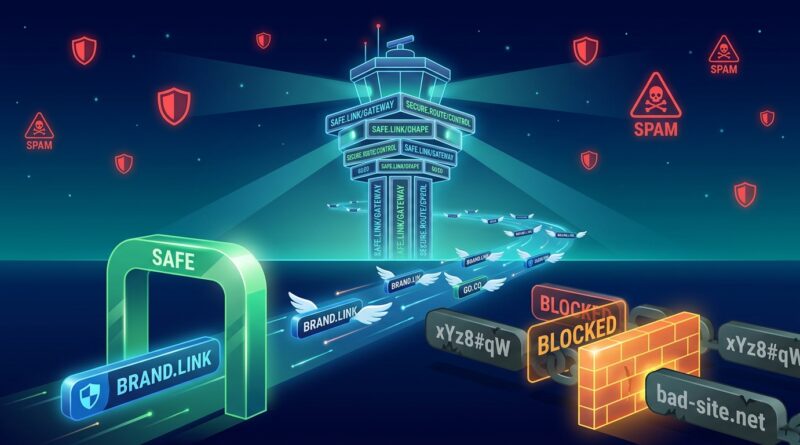
Stop Letting Your Short Links Get You Blocked: How To Build ‘Phishing‑Proof’ Redirects That Inbox and Browsers Actually Trust
You did the campaign right. The copy is strong, the offer is clear, and the audience is right. Then the clicks never arrive because your short link gets flagged, stripped from an email, or blocked by a browser warning page. That is maddening, especially when nothing about your message is actually shady. The ugly truth is that many security tools now judge links before people ever see your content, and generic shorteners often start from a position of distrust. If you want to know how to stop short links being flagged as phishing, the fix is not just “pick a better short URL.” You need redirects that look trustworthy, behave predictably, and match your brand from start to finish. The good news is this is very fixable. Once you know what filters look for, you can build links that are far less likely to trip alarms across email, social posts, ads, and workplace networks.
⚡ In a Hurry? Key Takeaways
- Use a branded redirect domain with HTTPS, a clean reputation, and obvious destination paths instead of generic shorteners.
- Keep redirect chains short, avoid sketchy parameters, and make sure link text, sender identity, and landing page all match.
- Trusted-by-design links protect deliverability, reduce browser warnings, and save paid traffic from being wasted before a click lands.
Why good links are getting blocked more often
Security teams have tightened the screws. Email gateways, browser safe-browsing systems, ad platforms, and corporate firewalls now score links using patterns that go far beyond whether the final page contains malware.
They look at the whole journey. The sending domain. The redirect domain. The age of that domain. The hosting setup. The number of hops. The path format. The tracking parameters. Even whether the visible text says one thing while the actual URL goes somewhere else.
That means a perfectly legitimate campaign can still get caught if it “looks like” the sort of link attackers use.
Common patterns that trigger suspicion
These are the big ones:
- Generic shorteners that are used by everyone, including scammers.
- Fresh domains with little history or reputation.
- Long redirect chains that bounce through multiple services.
- Random-looking slugs like /x7Qp9Lk2 with no brand signal.
- Heavy tracking strings packed with IDs and encoded junk.
- Mismatch between the sender, the link domain, and the landing page brand.
- Redirecting users to a completely different root domain than expected.
None of those automatically mean “phishing.” But enough of them together can make filters nervous.
How modern filters actually score a link
Most marketers still think about links in terms of click-through rate and attribution. Security systems think in terms of trust signals. That is the gap causing pain right now.
1. Domain reputation
If your redirect domain has been around for a while, has consistent traffic, and is used only for your brand, that helps. If it is brand new, parked, or previously abused, that hurts.
2. Brand consistency
If the email says it is from BrightLeaf Studio, but the link goes to a generic shortener and ends up on another domain entirely, filters may see that as impersonation risk. Consistent branding lowers suspicion.
3. Redirect behavior
One clean redirect is usually fine. Three or four hops through trackers, affiliate networks, and tag managers can look messy. Attackers love layered redirects because they hide the final destination. So yes, your analytics stack can accidentally copy bad-guy behavior.
4. URL structure
Human-readable paths help. Something like go.yourbrand.com/pricing is easier to trust than tiny-domain.com/aB39xQ. Clear beats clever here.
5. Page safety and setup
The final page still matters. Broken SSL, mixed content, pushy popups, fake countdown timers, and forms that ask for too much too soon can all reinforce a risky score.
How to stop short links being flagged as phishing
Now for the practical part. If you want redirects that inboxes and browsers actually trust, start with these standards.
Use a branded short domain
This is the biggest upgrade. Set up a subdomain or short domain you control, like go.yourbrand.com or yourbrand.link. A branded domain gives you reputation you can build over time instead of borrowing the mixed reputation of a public shortener.
It also tells users and filters the same story. This link belongs to your brand.
Keep redirects simple
A redirect should do one job. Move the user from your branded short URL to the final destination with as few steps as possible. Try to keep it to one hop. Two at most if you have a very good reason.
If you stack trackers on trackers, trim them down. Most teams are carrying extra redirect baggage they no longer need.
Make the slug readable
Use paths people can understand. Good examples:
- go.yourbrand.com/demo
- go.yourbrand.com/spring-sale
- go.yourbrand.com/webinar-replay
Readable slugs are easier for real people to trust and harder for scanners to confuse with throwaway phishing links.
Match the visible text to the destination
If your button says “View your invoice” but the link points to a promo landing page, that mismatch raises eyebrows. Keep the anchor text, the redirect path, and the landing page purpose aligned.
Use HTTPS everywhere
This sounds basic, but it still trips people up. Your redirect domain needs a valid certificate. So does the final page. No exceptions.
Do not hide the final brand
If possible, your redirect should lead to a page on the same main brand domain, or at least a domain users would expect. Sending people from yourbrand email to a short link and then to a totally unrelated checkout or form host can trigger warnings.
If you must use a third-party checkout or event tool, explain it on the page before the jump or use a custom domain on that service.
Build a “phishing-proof” redirect standard for your team
The easiest way to keep links clean is to stop making them one by one with different rules every time.
Your baseline standard should include
- One branded redirect domain used across email, social, SMS, and ads.
- A fixed naming pattern for slugs.
- No random character strings unless truly necessary.
- A limit on redirect hops.
- Required HTTPS and certificate checks.
- Rules for approved tracking parameters only.
- A quick reputation and safe-browsing test before launch.
This sounds formal, but it saves time. Campaign teams stop guessing. Security teams stop panicking. Everyone gets cleaner results.
If you want a practical testing habit, the companion piece Stop Letting Phishing Ruin Your Links: How To Run A ‘Scam Fire‑Drill’ On Every Short URL You Share is a smart next step. It helps you pressure-test links before your audience or a mail filter does it for you.
What to remove from your current link setup
Sometimes the fix is not adding more tools. It is removing the parts that make your links look suspicious.
Cut back on noisy parameters
UTM tags are fine. Fifty extra tracking values are not. Keep only what your reporting actually uses. Long query strings packed with encoded values look messy and can break when shared.
Retire shared public shorteners
Public shorteners are cheap and easy. They are also heavily abused. If security products see a lot of bad traffic from a shared domain, your good campaign can get caught in the blast radius.
Avoid constant destination swapping
If one short link points to different destinations every few days, that can look like cloaking. Stability builds trust. If the campaign changes, make a new short link.
Do not redirect to login pages unless clearly expected
Attackers often use short links to send people to credential forms. If your campaign needs a login, make that obvious in the copy and keep the branding consistent all the way through.
How to test links before a campaign goes live
You do not need a giant security budget to catch the obvious problems.
Run this quick preflight check
- Open the short link on desktop and mobile.
- Check how many redirects occur before the final page loads.
- Confirm the final domain matches what the user expects.
- Inspect the slug. Is it readable and brand-safe?
- Check HTTPS on every hop.
- Paste the URL into a few email clients or social schedulers and see if it gets rewritten or warned on.
- Test from a corporate network if your audience includes business users.
If your audience is mostly B2B, this matters even more. Corporate firewalls are often stricter than consumer browsers.
Special advice for email marketers
Email is where link trust problems get expensive fast. A flagged URL can hurt placement, trigger link wrapping issues, or lead to silent stripping by security gateways.
Keep sender and link branding aligned
If your From domain is brand.com, try to keep your redirect on a related subdomain, not a random short domain with no visible connection.
Warm up new redirect domains
Do not create a fresh short domain on Monday and send a million emails on Tuesday. Start small. Use it in lower-risk channels first. Let reputation build naturally.
Coordinate with your email platform
Some providers wrap links for click tracking, which can add another redirect layer. Know what your platform is doing. If possible, simplify the chain rather than blindly stacking your shortener on top of their tracking redirect.
Special advice for creators, ads, and social posts
Social platforms and ad systems also score destination quality. If your ad account keeps seeing disapprovals or your posts lose reach, your link setup may be part of the problem.
Use channel-specific paths, not channel-specific domains
It is fine to use go.yourbrand.com/yt-offer and go.yourbrand.com/ig-bio. It is less helpful to spin up a different domain for each channel. One trusted domain is easier to manage and easier for users to recognize.
Preview how the link renders
Some platforms show the destination domain in previews. Make sure that domain looks normal and on-brand. If it looks cryptic, people may skip the click even if the platform allows it.
At a Glance: Comparison
| Feature/Aspect | Details | Verdict |
|---|---|---|
| Generic public shortener | Easy to use, but shares reputation with everyone else, including bad actors. | Fast setup, lower trust. |
| Branded redirect domain | Controlled by you, builds brand recognition, and gives filters a clearer trust signal. | Best long-term choice. |
| Multi-hop tracking chain | Adds measurement, but can resemble cloaking and raise phishing risk if overused. | Trim it down whenever possible. |
Conclusion
Short links are supposed to make campaigns cleaner. They should not quietly wreck deliverability or scare off browsers before a customer even arrives. That is why this matters so much in 2026. Security-driven link breakage is rising, but a lot of marketing advice still acts like clicks and attribution are the whole story. They are not. Trust is part of performance now. If you build redirects with a branded domain, clear paths, minimal hops, and consistent destination signals, you give filters fewer reasons to doubt you and users more reasons to click. That protects your brand, keeps deliverability healthier, and makes every paid click and organic share more reliable. In short, if your links are trustworthy by design, your campaigns have a much better chance of reaching real people instead of a warning screen.