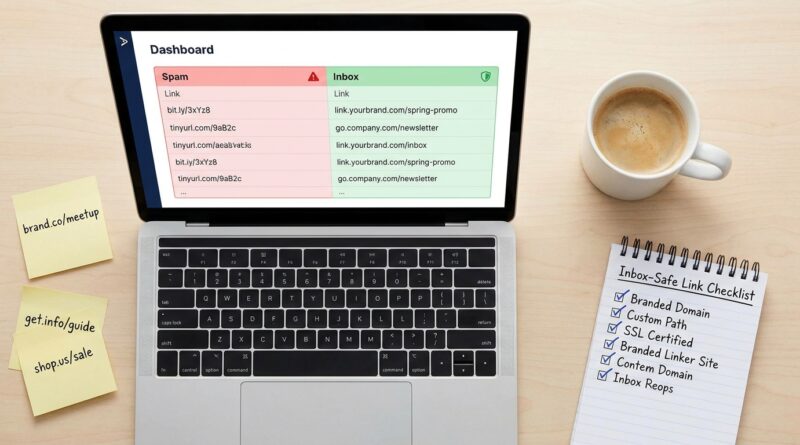
Stop Letting Your Short Links Kill Email Deliverability: How To Build ‘Inbox‑Safe’ Tracking URLs That Still Give You All The Data
You send a solid campaign, watch the platform mark it as delivered, then wonder why opens sag and clicks fall off a cliff. That is a special kind of frustrating, because the email itself may not be the problem. A lot of the damage happens in the links. Cheap public shorteners, messy redirect chains, and giant tracking strings can make a normal marketing email look sketchy to inbox providers. Gmail, Outlook, Yahoo and corporate filters are getting stricter, and they do not always give you a neat warning that says, “this short link hurt you.” They just quietly push you into Promotions, junk, or nowhere useful at all. The fix is not to stop tracking. It is to track in a cleaner way. If you use your own domain, keep redirects simple, trim your parameters, and test before every send, you can still get the data you need without making your links look like spam bait.
⚡ In a Hurry? Key Takeaways
- Use branded short links on a domain you control. Avoid generic public shortener domains for email whenever possible.
- Keep redirects and tracking parameters lean. One clean hop is better than a chain of trackers and affiliate-style clutter.
- Test links before every campaign with seed inboxes and spam checks, because “delivered” does not always mean “seen.”
Why short links can quietly wreck email performance
Email filters do not judge one thing. They judge the whole mix. Your sending domain, authentication, content, complaint rate, engagement history, and yes, the links inside the message all matter.
Links are a trust signal. If your email says it is from your brand, but every button points to a random shortener domain with a long redirect behind it, filters may see a mismatch. Phishers do this all the time. So do spammers. That means innocent marketers can end up looking guilty by accident.
This is why the best email deliverability best practices for short links and tracking URLs are really about trust and consistency. The goal is simple. Make your links look normal, readable, and easy to verify by both humans and machines.
What inbox providers tend to dislike
Generic public shorteners
Bit-by-bit, many public shortener domains have earned a rough reputation because bad actors use them too. That does not mean every short link from a public service gets blocked. It means you are borrowing someone else’s reputation, and that is risky.
If a shared shortener has a bad week, your campaign can feel it.
Too many redirects
A click that goes from your email to a tracking domain, then to another redirect, then to a landing page with more script-based routing looks messy. Filters and secure email gateways often inspect that chain. The longer and stranger it gets, the less confidence it inspires.
Bloated tracking parameters
UTM tags are useful. Huge strings of IDs, tokens, encoded data, session references, and extra vendor parameters are not always necessary. Very long URLs can look machine-generated and suspicious, especially when every link in the email uses a different monster string.
Domain mismatch
If your sender is yourbrand.com, but your CTA goes to click-now-fast.example-short.co, that disconnect matters. Consistency helps. Mismatch raises eyebrows.
What an inbox-safe tracking URL looks like
A good tracking link is boring in the best way. It uses your brand. It redirects once. It lands on a page that matches the message. It still gives you reporting, but it does not scream “mystery link.”
A strong pattern looks like this:
go.yourbrand.com/pricing
That is much safer than something like:
tiny-random-domain.example/7Hk29Q?utm_source=newsletter&utm_medium=email&utm_campaign=spring-launch&utm_content=button1&ref=partner&cid=983742&token=abc123xyz
The first link gives filters and readers context. The second one makes everyone work too hard.
If you also care about click confidence, this pairs nicely with Stop Letting Your Short Links Get You Phished: How To Build ‘Human-Readable’ URLs People Actually Trust Enough To Click. The same choices that help people trust a link often help inbox systems trust it too.
The safest setup for most teams
1. Use a branded short-link domain
Set up a subdomain you control, like go.yourbrand.com or link.yourbrand.com. This keeps your brand visible and lets you build reputation on infrastructure you own.
A subdomain is often better than using the main domain directly, because it gives you cleaner management and keeps link routing separate from your main site.
2. Keep it to one redirect hop
Your short link should resolve directly to the final landing page whenever possible. If you need click tracking, let that happen inside your own branded redirect. Do not stack multiple redirect services unless you truly have no choice.
3. Trim your parameters
Use only the tags you actually report on. For many teams, that is just:
- utm_source
- utm_medium
- utm_campaign
- maybe utm_content
That is enough for most campaign reporting in Google Analytics and similar tools. If your automation tool adds 10 extra fields by default, review whether you need them.
4. Match the link to the message
If the email promotes pricing, the visible URL path should suggest pricing. If the button says “Book a demo,” the destination should clearly be your demo page. Relevance matters. Spam filters and readers both notice bait-and-switch patterns.
5. Authenticate everything properly
This article is about links, but links do not live alone. Make sure SPF, DKIM, and DMARC are set up correctly for your sending domain. If your platform offers custom tracking domains, configure them properly so the pieces line up.
Where redirect tracking belongs, and where it does not
Redirect tracking belongs on infrastructure you trust and control, ideally with your own branded domain. It should be a thin measurement layer, not a maze.
It does not belong in a pile of third-party wrappers where one vendor passes to another and nobody on your team can clearly explain the chain.
A useful rule of thumb is this. If you cannot paste a link into a note and quickly explain where it starts, where it hops, and where it ends, it is probably too messy for email.
Domains and patterns to avoid
- Shared public shortener domains used by thousands of unknown senders
- Fresh domains with no history that you spun up the day before a send
- Domains that look random, hyphen-heavy, or off-brand
- Redirect chains that involve affiliate-style hops or multiple trackers
- URL paths made of gibberish when a readable slug would work
- Links that send users to a different brand than the email appears to come from
A practical one-hour cleanup before your next send
Step 1. Audit every link in the email
Open the draft and list every destination. Remove old test links, duplicate parameters, and unnecessary tracking junk. If you have six buttons all going to the same page, make sure they are not each carrying wildly different URL baggage unless you need that for reporting.
Step 2. Replace public shorteners
If any CTA uses a generic short link, swap it for your branded domain. Even a simple branded redirect is usually better.
Step 3. Check the redirect path
Click each link and watch what happens. Better yet, use a redirect checker. You want one clean hop, not three or four.
Step 4. Cut parameters to the minimum
Ask a blunt question. Will anyone look at this parameter in a report next week? If not, remove it.
Step 5. Send seed tests
Send to Gmail, Outlook, Yahoo, Apple Mail, and if possible a corporate inbox. Check where the message lands. Open the source if needed. Some deliverability tools will also flag suspicious URLs and redirect patterns.
Step 6. Compare with a plain-link version
If you are worried your tracking links are causing trouble, run a small A/B test. One version uses the branded tracking link. Another uses a direct clean link with minimal tags. If placement improves, you have your clue.
Common mistakes smaller teams make
“Our ESP handles that stuff, so we are fine”
Maybe. Maybe not. Email service providers help, but they cannot magically make a bad linking strategy harmless. Your setup still matters.
“More tracking is always better”
Usually the opposite. Better tracking is better. Cleaner tracking is better. More is just more.
“If it says delivered, the campaign worked”
Delivered only means accepted by the receiving system. It does not mean inboxed, seen, trusted, or clicked.
“Shorter is always safer”
No. A short link on a shady domain can be worse than a slightly longer link on your own domain. Clean and branded beats short and anonymous.
How to think about trust, not just tracking
Your links have two jobs. One is measurement. The other is reassurance.
Readers want to know where a click goes. Filters want to see consistency between the sender, the content, and the destination. Good short links do both. They look like they belong to you, they act predictably, and they do not carry unnecessary junk.
That is why the best email deliverability best practices for short links and tracking URLs are not complicated. Use your own domain. Keep redirects simple. Keep tags light. Test before sending. Repeat.
At a Glance: Comparison
| Feature/Aspect | Details | Verdict |
|---|---|---|
| Generic public shortener | Fast to set up, but you share domain reputation with everyone else using it | Avoid for important email campaigns |
| Branded short-link domain | Matches your brand, supports cleaner trust signals, and gives you more control | Best choice for most teams |
| Long URL with heavy tracking parameters | Can still work, but often looks messy and may create avoidable risk | Trim to essentials before sending |
Conclusion
Right now inbox providers are tightening the screws on anything that looks even slightly suspicious, and that includes plenty of innocent tracking links. Marketers, newsletter creators, and SaaS teams are swapping in cheap shorteners or pasting long UTM monsters and unknowingly triggering spam filters, losing real revenue on sends that show as delivered but never get seen. The good news is that this is fixable. Build tracking URLs on a domain you control, keep redirects where they belong, avoid sketchy shared domains, and test before every send. That gives you a practical playbook you can run in under an hour, instead of spending weeks chasing vague deliverability folklore. Clean links will not solve every inbox problem, but they remove one of the most common own goals in email, and that alone can protect a lot of reach.