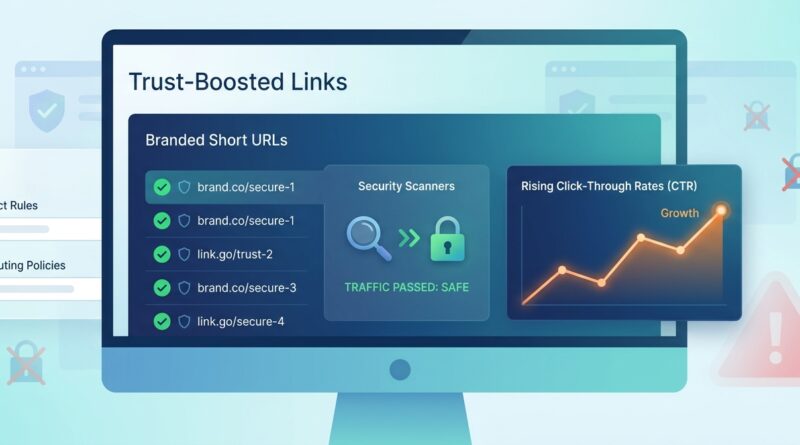
Stop Letting Your Short Links Get Flagged As Dangerous: How To Build ‘Trust‑Boosted’ URLs That Sail Through Security Filters
You send a perfectly normal campaign, then half your audience sees a warning that makes your link look sketchy. Or worse, the message never really lands at all. That is maddening, especially when your copy is fine and your offer is legitimate. What changed is that more browsers, inbox providers, mobile carriers, and security tools now pre-scan links before a human ever taps them. Generic shorteners are taking a lot of heat because scammers use them too. So your innocent short URL can end up looking guilty by association. The good news is you do not have to stop using short links, redirects, or tracking. You just need to make your links look and behave more like something a real business would send. Think of this as a trust tune-up for your URLs. A few changes to your domain, redirect flow, and link hygiene can go a long way toward helping prevent short links from being flagged as suspicious.
⚡ In a Hurry? Key Takeaways
- Use your own branded short domain instead of a cheap, generic public shortener if you want to prevent short links from being flagged as suspicious.
- Keep redirects clean, fast, and predictable. One hop is best, and the destination should match your brand and message.
- Trust is built from the whole setup, not just the link. Domain age, SSL, landing page quality, and sending reputation all matter.
Why your short links are getting flagged now
Security filters have become much more aggressive. They are not only looking for known bad links. They are also looking for patterns that often show up in scams.
That includes fresh domains, messy redirect chains, public shorteners with mixed reputations, and links that hide the final destination too well. To a filter, a generic short URL can look like a black box. If bad actors use the same service, everyone on that service can feel the blast radius.
This is why a link that worked six months ago may suddenly trigger warnings today. The rules changed. Your intent did not, but the risk scoring around your link probably did.
What a “trust-boosted” URL looks like
A trust-boosted URL is not magic. It simply gives scanners fewer reasons to panic.
It uses a branded domain
If your company is Bright Oak, a short domain like go.brightoak.com or brightoak.co is usually better than a random bit.ly-style link. Security systems can connect that short link back to your brand more easily.
It redirects to a matching destination
If the short link says Bright Oak, but the landing page ends up on a totally different-looking domain with a different company name, that raises eyebrows fast.
It keeps the redirect chain simple
Short link to tracker to another tracker to affiliate router to landing page. That is the sort of chain scanners hate. It adds uncertainty. One redirect is ideal. Two can be acceptable. More than that starts to look messy.
It lands on a real, polished page
A weak landing page can hurt link trust. Broken images, pop-up overload, no privacy policy, and no company details can make a safe link look unsafe.
The fastest way to prevent short links from being flagged as suspicious
If you only do three things this week, do these.
1. Stop using shared public shorteners for important campaigns
Shared shortener domains have a reputation problem. You may be doing everything right, but you are still borrowing a neighborhood where some tenants are causing trouble.
Move to a branded short domain you control. It can be a subdomain of your main site, like go.yourbrand.com, or a short domain that clearly belongs to your brand.
2. Make the final destination obvious
Your short URL should send people to a page that matches the message they clicked. If the SMS says “view your appointment details,” do not dump them on a generic homepage. Send them to the exact appointment page or a clear landing page with branding and context.
3. Cut out redirect clutter
Audit your links. Click one and trace what happens. If it bounces through several systems before loading, simplify the path. Every extra hop is another chance for a scanner to get nervous or for something to break.
Build your short-link setup like a real business, not a quick hack
Use HTTPS everywhere
This sounds basic because it is. But it still matters. Your short domain should have a valid SSL certificate. So should the final destination. Mixed security states make filters twitchy.
Warm up new domains before heavy use
A brand new short domain that suddenly starts sending thousands of SMS messages is going to look suspicious. If you can, set it up early. Put a simple branded page on it. Let it exist for a bit before pushing major campaigns through it.
Do not rotate domains constantly
Some teams panic when a link gets blocked and immediately switch to another fresh domain. That can make things worse. Constant domain swapping is a common spam pattern. Pick a good branded domain and build history on it.
Use readable slugs
/summer-sale is better than /x7Q2pL9. Human-readable paths can help make a link feel less random. They also give the recipient a clue about where they are going. Do not stuff them with spammy words, though. Keep them plain and accurate.
Link behavior matters as much as link appearance
A lot of teams focus only on the visible URL. Filters care just as much about behavior.
Avoid bait-and-switch redirects
If the same short link sends different people to different places based on device, geography, or time, that can trigger concern unless there is a clear, normal reason. Some device-based routing is fine. Wild inconsistency is not.
Make scanners welcome
Many security tools visit your link before a human does. If your server blocks bots too aggressively, returns errors, or demands odd JavaScript tricks before showing content, the scanner may score it badly. Let legitimate security crawlers see a stable version of the destination page.
Keep response times fast
Slow redirects and flaky landing pages can hurt trust. They do not just annoy users. They also create patterns that automated systems may read as low quality or suspicious.
Common mistakes that get legitimate links flagged
Here are the repeat offenders.
- Using a generic shortener that is heavily abused by bad actors
- Sending from a brand-new domain with no history
- Pointing users to a landing page on a totally different domain
- Stacking multiple tracking and redirect tools on one click
- Including too many URL parameters that look noisy or cryptic
- Sending traffic to pages with little branding or poor mobile design
- Changing domains every time deliverability dips
How to keep tracking without making your links look shady
You do not have to give up analytics. You just need cleaner tracking.
Use first-party tracking where possible
If your analytics and redirect system sit on your own branded domain, that is usually better than bouncing people through several third-party systems.
Trim unnecessary parameters
UTM tags are normal. A dozen mystery parameters are not. Keep what you need for reporting and remove the rest.
Prefer server-side clarity over client-side tricks
If the page relies on scripts to decide where a user really goes, scanners may not like it. A straightforward HTTP redirect is cleaner and easier to trust.
A simple trust checklist before you launch a campaign
Run through this every time.
- Is the short domain clearly tied to our brand?
- Does the short domain have valid HTTPS?
- Does the link use one redirect, or as few as possible?
- Does the final page match the message the user clicked?
- Is the landing page polished, mobile-friendly, and branded?
- Are privacy policy, contact details, and company identity visible?
- Have we tested the link in SMS, email, and major browsers?
- Have we checked what a link scanner sees, not just what a human sees?
What to do if your links are already being blocked
Do not just keep swapping shorteners and hoping for the best. That usually turns one problem into three.
Start with a small forensic check
Look at the blocked links and compare them with links that still work. Is the issue tied to one shortener, one domain, one landing page, or one sending channel?
Review your redirect path
Map every hop from click to destination. Remove anything nonessential.
Clean up the destination page
Add stronger branding, contact info, policy links, and a clearer purpose. Make sure the page loads fast on mobile.
Ask vendors for reputation or policy feedback
You will not always get a useful answer, but sometimes your email platform, SMS provider, or link tool can tell you whether a domain reputation issue is involved.
Then rebuild on a stable branded domain
This is usually the long-term fix. A known, consistent, well-kept branded short domain gives filters a better story than a rotating cast of generic links.
At a Glance: Comparison
| Feature/Aspect | Details | Verdict |
|---|---|---|
| Public shortener vs branded short domain | Public shorteners are easy, but they share reputation with everyone else. Branded domains build your own trust history. | Branded domain wins for serious campaigns. |
| Single redirect vs multi-hop chain | One clean redirect is easier for users and scanners to understand. Multiple hops add friction and risk. | Keep it as close to one hop as possible. |
| Cryptic link path vs readable slug | Readable slugs can improve clarity and confidence, as long as they are accurate and not stuffed with hype. | Readable usually beats random-looking strings. |
Conclusion
If your links suddenly seem to trigger warnings, you are not imagining it, and you are not alone. Security vendors are tightening spam and phishing filters again, and generic short URLs are an easy target when attackers abuse them at scale. That leaves legitimate marketers and founders stuck with scary warnings, weak delivery, and almost no useful explanation. The fix is usually not to rip out all your tracking or stop using short links. It is to make your links easier to trust. Use a branded domain. Keep redirects simple. Make sure the destination looks real, polished, and consistent with the message. This playbook gives you a practical way to harden what you already do, so you can keep the benefits of short links and redirects while reducing the chances they get flagged. Start with one campaign this week, clean up the path, and build from there.