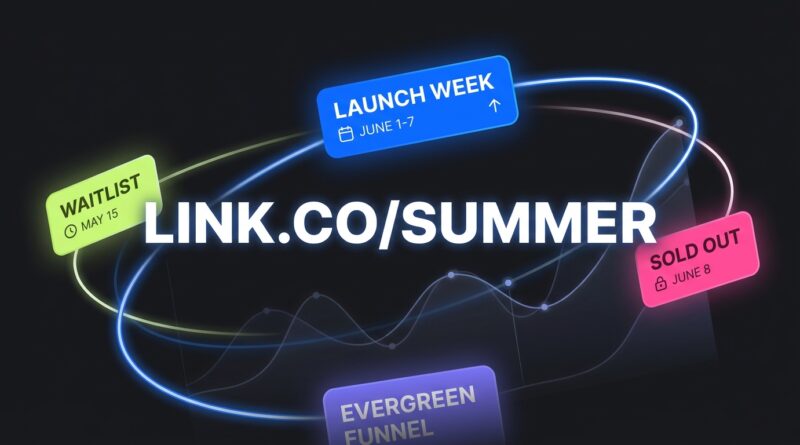
Stop Letting Your Short Links Go Stale: How To Build ‘Evergreen’ URLs That Auto‑Rotate Campaigns For You
You post a short link once, then forget about it. Months later, that same link is still sitting in old Instagram captions, podcast show notes, printed flyers, QR codes, text campaigns and email footers. The problem is, it now points to a sale that ended, a product that moved, or a signup page tied to the email tool you stopped using. That is maddening, and it wastes real traffic. If you have ever spent an afternoon clicking through old posts just to patch broken campaign paths, you are not alone. The fix is to stop treating short links as one-time shortcuts. Build them as evergreen short links for rotating campaigns instead. That means one stable public link, with a destination you can change behind the scenes based on date, stock, campaign status or simple business rules. Your audience keeps using the same link. You stay in control.
⚡ In a Hurry? Key Takeaways
- Use one permanent short URL for each audience or traffic source, then update its destination instead of replacing the public link.
- Set simple routing rules such as date-based promos, stock-out fallback pages, or default lead magnet pages between launches.
- Keep redirects clean and documented, because too many messy hops can hurt tracking, user trust and conversion rates.
What an evergreen short link actually is
An evergreen short link is a short URL you plan to keep for the long haul. Not for one launch. Not for one weekend sale. Think of it as a front door that stays the same even when the room behind it changes.
For example, instead of making a fresh short link for every campaign, you might keep:
- yourbrand.link/podcast
- yourbrand.link/text
- yourbrand.link/qr
- yourbrand.link/join
Those links stay public and consistent. Behind the scenes, you change where they go. This week, /podcast can send people to a launch offer. Next week, it can send them to your waitlist. Next month, it can point to your evergreen free guide.
That is the heart of evergreen short links for rotating campaigns. The short link is stable. The destination is flexible.
Why stale links cost more than most people realize
Most people notice stale links only when something is obviously broken. A 404 page. An expired checkout. A form that no longer works.
But the quieter damage is often worse.
Lost sales
If an old social post still gets shares but sends buyers to last season’s offer, you are making people work harder to find the current one. Many will not bother.
Messy analytics
If every campaign gets a new short link, your reporting gets split across a pile of URLs. That makes it harder to compare traffic from podcasts, bios, SMS and older content.
Broken attribution
If you patch links manually in a hurry, UTM tags, source labels and conversion paths can get inconsistent fast.
Brand trust issues
People notice when they scan a QR code and land on something outdated. It feels sloppy, even if your actual product is great.
The simple model that works for smaller teams
You do not need an enterprise marketing stack to do this well. A simple setup is enough.
Step 1: Create permanent public links by context
Make links based on where they live, not only on the campaign.
Good examples:
- /bio
- /podcast
- /springmail
- /viptext
- /menu
- /poster
This gives you control later. A podcast link may need different wording or tracking than an SMS link, even if both point to the same page today.
Step 2: Pick a default fallback destination
Every evergreen link should have a safe place to send people when no active promotion is running.
Usually that fallback is one of these:
- a lead magnet
- a best-selling product page
- a waitlist
- a current pricing page
- a link hub page
This matters because campaigns end. Your link should never be left homeless.
Step 3: Add campaign rules
Then layer in simple logic. For example:
- From Monday to Friday, send traffic to the launch page
- After the deadline, send traffic to the waitlist
- If stock hits zero, send traffic to the back-in-stock page
- If a webinar has ended, send traffic to the replay or a related offer
You can do this with many modern short link tools, redirect managers, or even your own site if you have basic admin access.
Three practical evergreen link patterns you can start using this week
1. The launch-then-fallback pattern
This is the easiest one. During a live campaign, your link goes to the promo page. Once the campaign ends, it automatically switches back to your evergreen lead magnet or core offer.
Example:
- July 1 to July 7: yourbrand.link/bio → summer sale page
- July 8 onward: yourbrand.link/bio → free starter guide
This is great for creators, coaches, consultants and online stores running short launches.
2. The stock-aware pattern
If a featured product sells out, your link should not keep pushing people into a dead end.
Instead:
- In stock: send to product page
- Out of stock: send to waitlist, alternate item, or bundle page
This works especially well for QR codes on packaging, event signs and printed promo cards, where changing the visible link later is impossible.
3. The source-specific evergreen pattern
Keep separate permanent short links for each channel, even if they all point to the same campaign.
For example:
- /podcast
- /sms
- /speakerdeck
Why? Cleaner reporting. If you update the destination later, you still know where the click came from.
Where to build these links
You have a few options, and the right one depends on how hands-on you want to be.
Short link platforms
Many link shorteners now let you edit destinations after publishing. Some also offer scheduling, geo rules, device rules and click analytics.
This is the easiest route for most non-technical teams.
Your own domain with a redirect tool
If you want more control and better branding, use your own short domain or a subdomain you control, then manage redirects from there.
That might look like:
- go.yourbrand.com/podcast
- links.yourbrand.com/join
This is often the sweet spot. It looks professional, and you are not tying a core business function to a platform you may leave later.
Your website CMS or server redirects
If you have a WordPress site, a redirect plugin can handle basic evergreen link management. More advanced teams may use server rules or a lightweight internal tool.
If that sounds too fiddly, skip it. The best system is the one your team will actually maintain.
Rules for naming links so they stay useful
One of the biggest mistakes is naming the short link after the temporary campaign.
Bad example:
- /blackfriday2026
That is hard to reuse later.
Better examples:
- /deals
- /offers
- /join
- /shop
- /podcast
- /vip
Use names based on audience intent or traffic source. Those age much better.
How to keep analytics clean
This is where evergreen short links quietly shine.
Instead of creating a new public link every time, you keep one labeled doorway and update the page behind it. That means your historical click data stays tied to the same URL.
To keep reporting useful:
- Use one evergreen short link per channel or context
- Keep a naming sheet so everyone on the team uses the same labels
- Add UTMs to destination URLs consistently
- Log major destination changes with dates
That last point is underrated. A simple spreadsheet with columns for short link, current destination, fallback page, campaign dates and owner can save a lot of confusion later.
Common mistakes to avoid
Too many redirect hops
Short link to tracking link to landing page to geo router to checkout is a recipe for slow loads and messy attribution. Keep the path as short as possible.
Forgetting the fallback
If your live promo ends and no one updates the rule, traffic can hit an expired page for days. Always set a default safe destination.
Using one link for wildly different intents
Do not make one generic short link do everything. If podcast listeners expect a special bonus and QR scanners expect a menu, use different evergreen links.
Changing links without a record
If multiple people manage campaigns, undocumented changes cause chaos. Keep a basic change log.
A sample setup for a solo creator or small business
Here is a no-drama version you can copy.
Your evergreen links
- /bio for social profile traffic
- /podcast for spoken call-to-actions
- /text for SMS campaigns
- /qr for printed materials
Your defaults
- /bio → link hub page
- /podcast → best lead magnet
- /text → current offer page
- /qr → main promo or product collection
Your rotating rules
- During launch week, /bio and /podcast point to the launch page
- When the cart closes, /podcast points to a waitlist
- When stock runs out, /qr points to a back-in-stock page
- After campaign season, /bio returns to your evergreen opt-in page
That is it. Simple, stable, useful.
Who benefits most from this approach
Pretty much anyone who publishes links in places that are hard to update later.
- Creators with old videos and podcast episodes
- Small businesses using printed QR codes
- Marketers running repeating launches
- Coaches and consultants who change booking pages or email tools
- Ecommerce brands with products that go in and out of stock
If your content has a long shelf life, evergreen short links for rotating campaigns are worth setting up.
At a Glance: Comparison
| Feature/Aspect | Details | Verdict |
|---|---|---|
| Permanent short URL | One public link stays the same while you update the destination behind it as campaigns change. | Best for protecting old posts, podcast mentions and printed QR codes. |
| Routing rules | You can switch by date, stock status, campaign phase, or fallback logic such as waitlist or lead magnet pages. | Very useful, even with a simple setup. |
| Analytics quality | Traffic keeps flowing through one labeled doorway instead of being scattered across many one-off links. | A big win for cleaner reporting and easier comparisons. |
Conclusion
You do not need to keep chasing old links every time your business changes direction. A better plan is to make your short URLs stable from the start, then let the destination do the changing. That protects all those older social posts, emails, podcast mentions and printed QR codes that still send people your way. It also makes your analytics easier to read, because traffic keeps entering through the same clearly named doors. Campaigns are moving faster than most teams can keep up with manually. An evergreen link setup gives smaller creators and businesses a practical way to stay current without babysitting every URL. Start with a few high-traffic links, give each one a safe fallback, and add simple rules for launches, stock changes or waitlists. Once you do that, your links stop aging out so quickly. They start working like they should, quietly and reliably in the background.